

Thank you for purchasing Agile Store Locator. Your purchase code is required to validate your license, activate updates, and receive support.
The location of your purchase code depends on where you purchased the plugin.
If You Purchased from AgileLogix.com #
If you purchased Agile Store Locator directly from Agile Logix, your purchase code can be found in your order confirmation email.
Method 1: Check Your Purchase Confirmation Email #
After completing your purchase, you will receive an email containing:
- Your order details
- Download links
- License information
- Purchase code
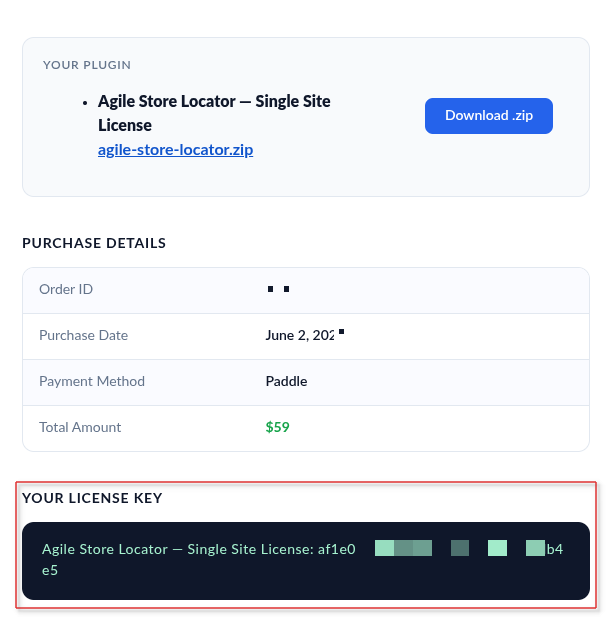
Search your inbox for emails from Agile Logix or [email protected].
Method 2: Check Your Agile Logix Account #
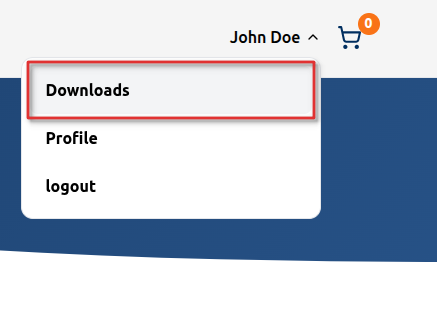
- Log in to your account at: Agile Logix Account Dashboard
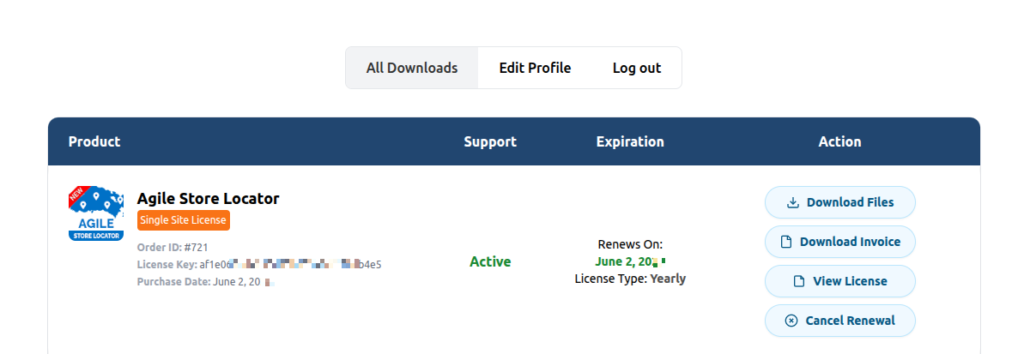
- Navigate to Downloads or Licenses.
- Locate your Agile Store Locator purchase.
- Copy the purchase code associated with your license.
Lost Access to Your Email? #
If you no longer have access to your purchase email, contact our support team at:
Please include:
- Your order number (if available)
- The email address used for the purchase
- Your website URL
This helps us locate your order and verify ownership.
If You Purchased from Envato (CodeCanyon) #
If you purchased Agile Store Locator through CodeCanyon, your purchase code is provided by Envato, the purchase code is highlighted in red in the email screenshot below.

Image of Confirmation Email with Purchase Code
What If my Email is Lost? #
If you don’t have access to your confirmation email, please log in to your Envato account and check your “Downloads” page. Furthermore, there you will see your purchased collection with the purchase codes.

Image of Envato Profile Download Page
You can also get your purchase code through the license certificate which you will receive in your purchase build, as shown in the image below.

Image of Envato License
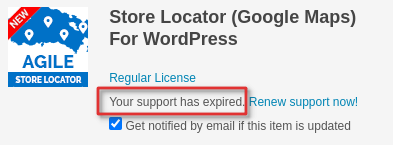
My Support License has Expired #
Since your support license has expired and assistance is needed for an issue, please renew your support license to receive our help. Learn more about renewing your license to regain access to our support services.
If you still have any problems in getting your purchase code, please email us through your account using our profile page.


