

Agile Logix Customers #
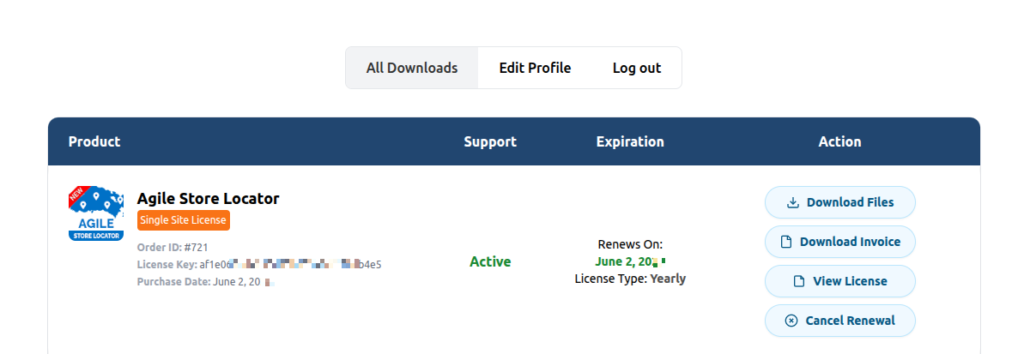
If you purchased Agile Store Locator directly from Agile Logix, the downloaded file agile-store-locator.zip is already the plugin installation package:
No extraction is required, simply upload the actual plugin zip file.
Installation Steps #
- Log in to your WordPress admin dashboard.
- Navigate to Plugins → Add New Plugin.
- Click Upload Plugin.
- Select agile-store-locator.zip.
- Click Install Now.
- Wait for the installation to complete.
- Click Activate Plugin.
The plugin is now installed and ready to use.
Envato (CodeCanyon) Customers #
Agile Store Locator plugin installation is a very simple process. However, when users try to install the Agile Store Locator plugin they try to install the following file without extraction:
Furthermore, this results in an error message shown below, which indicates that the plugin installation failed.

Solution
To correctly carry out the plugin installation, please follow the below step:
- Download the zip file from the codecanyon.net account (Download the Plugin Zip File)
- Extract the main zip file to get the actual plugin build which will be “agile-store-locator.zip” file
- Please log in to your WordPress instance as an administrator
- Go to the “Plugins” from the sidebar, click the “Add New” button
- Click the “Upload “button
- Upload the zip file “agile-store-locator.zip” by clicking on the browser button
- Install the plugin, and wait for a couple of minutes for it to install
- Lastly, once the plugin is installed, click the “Activate” button to make it functional
Configuration Setup Tutorial #
Finally, to configure your Agile Store Locator, click on “ASL Setting” from the WordPress sidebar menu, and follow the below API configuration video.


