

Here are the steps for activating the Pro version of Agile Store Locator:
Step 1: Download the Pro Version
Download the latest Pro version of Agile Store Locator from the location where you purchased the plugin:
- Agile Logix Customers: Log in to your Agile Logix account and navigate to the Downloads section.
- Envato (CodeCanyon) Customers: Log in to your Envato account and navigate to the Downloads page.
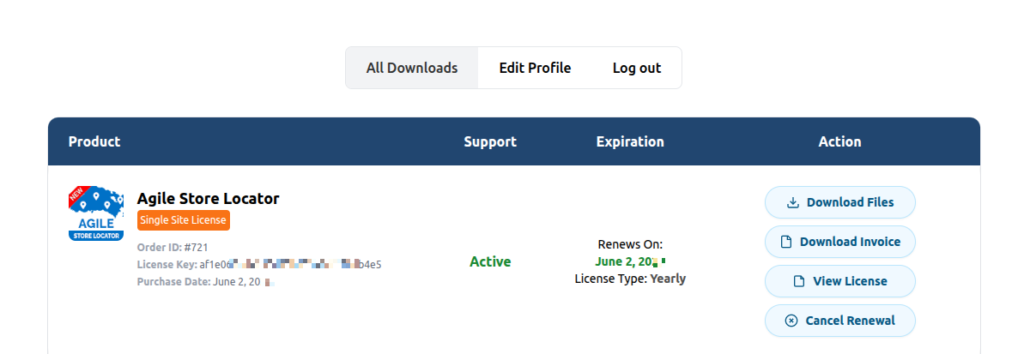
Download the Agile Store Locator Pro ZIP file to your computer before proceeding with the installation.
Step 2: Deactivate the Free Version
- Deactivate the free version of Agile Store Locator. You can also choose to delete it. Don’t worry; your data and configurations will remain intact.
Step 3: Upload the Pro Version
- Go to your WordPress admin dashboard.
- Navigate to Plugins > Add New > Upload Plugin.
- Upload the Pro version zip file.
- Click the “Install Now” button.
Step 4: Activate the Pro Version
- Activate the Pro version.
- Make sure you’ve deactivated the free version before or after activating the Pro version.


