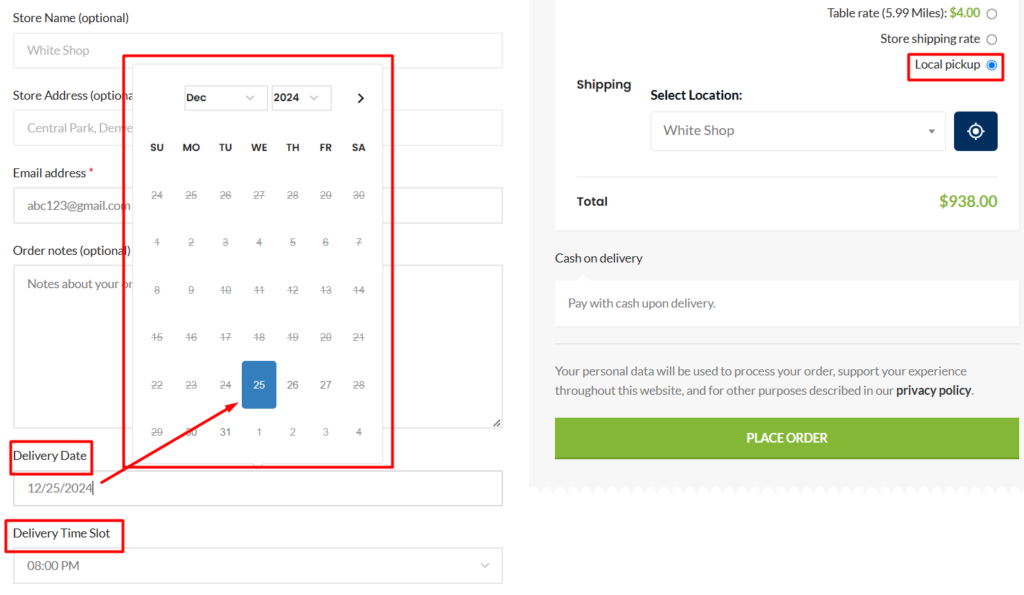

This article will explain how users can use the “Local Pickup” option in the “Multi-Store Addons for WooCommerce” plugin.
The “Local Pickup” feature helps your customers pick their respective products themselves from the nearest pickup location. To use this feature you will need to create a shipping zone that uses “Local Pickup”, please follow the below steps to do so:
- Go to “Settings” under the WooCommerce plugin
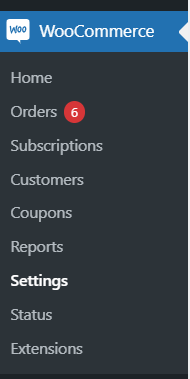
2. Go to the “Shipping” tab
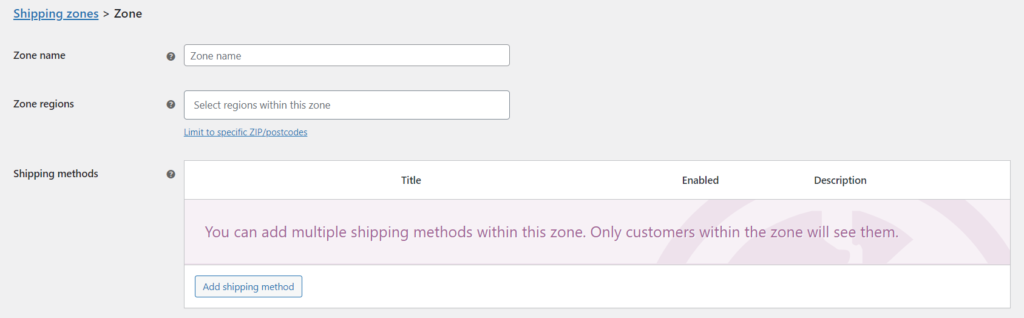
3. Click on “Add shipping zone”, and the “Zone Name”, “Zone Region/Address”
4. On the “Shipping methods” sections, click on “Add shipping method”
5. Select “Local Pickup” from the drop-down menu, and make sure it is enabled in the “Shipping methods” section
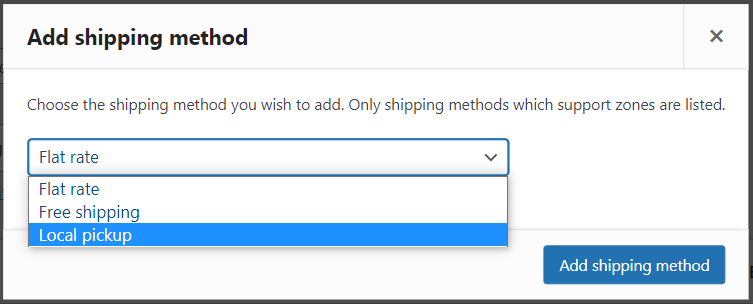
6. Click on “Save changes” and your shipping zone with local pickup will be created
Once you have created a shipping zone with “Local Pickup”, please follow the below steps to be able to add the “Local Pickup” option to your website:
1. Go to Mult-Store Addons for the WooCommerce plugin
2. Click on the “Local Pickup” tab
3. Turn on the “Local Pickup with Store Locator” option
Once the above steps are complete, the “Local Pickup” option will appear on your website’s checkout page.
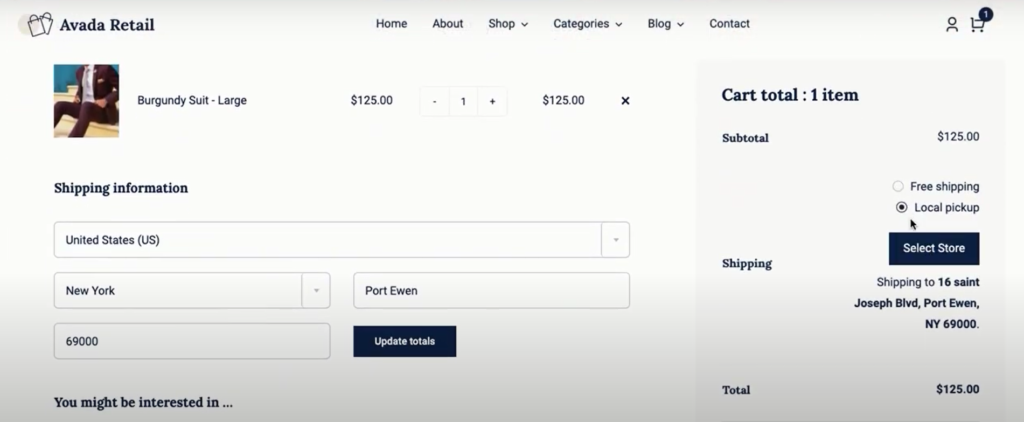
Note: The local Pickup feature will only work in the shopping cart if the specified WooCommerce shipping region matches.
Video Tutorial #
The below video will demonstrate how you can set up the Local Pickup shipping method on your WooCommerce store using the Multi Store Addons for WooCommerce.
How to Enable Lead Time? #
The Multi-Store Addons for WooCommerce plugin also gives you the option to set order processing time, known as “lead time” for orders placed by your customers.
The “lead time” is defined as the time required by a user to “prepare” a customer’s order before it is ready to be collected. Furthermore, the Lead Time feature automatically generates pickup slots based on the store working hours.
For example, for orders that require you to bring products from a warehouse that is far away, you can set the lead time value to 1 hr. As a result, once a customer places an order, they will be able to choose a time and date that corresponds with the lead time.
The lead time prevents customers from coming to the pickup location before their order is ready to be collected.
To enable lead time, please follow the below steps:
- Go to the “Local Pickup” tab on the Multi-Store Addons for WooCommerce
- Turn on the “Enable Date Selection” option
- Enter a value for the lead time in the “Lead Time” field, the value can be selected to be in either hours, days, or weeks from the drop-down menu
- Enter a time slot interval value in the “Time Slots Interval” field, this will further divide the time slots (in terms of minutes)
- Click on “Save Settings” once you are done
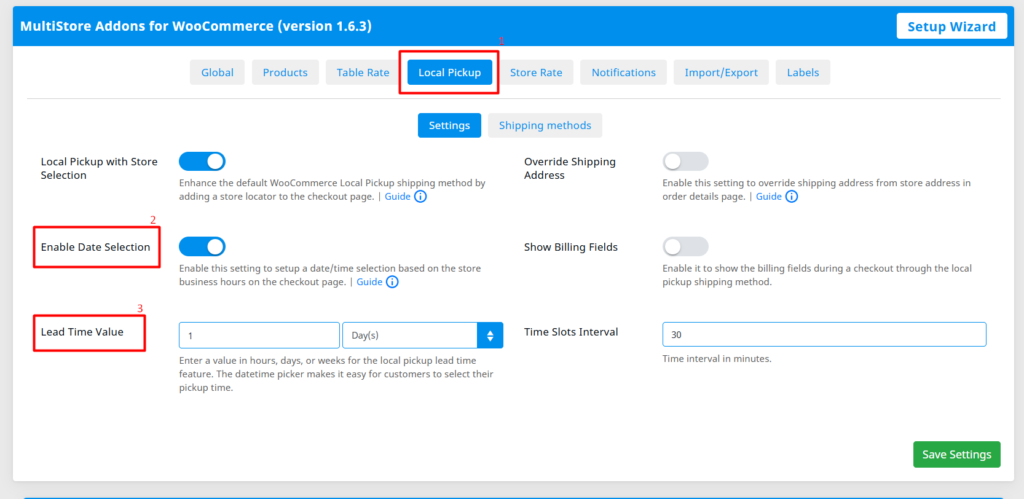
Once the above steps are completed your customer will be provided with date and time slot options (that correspond with the lead time) to collect their order.