

Modern businesses rely on data that comes from many places, not just one database.
Store locations, business hours, categories, and coordinates often live in spreadsheets, CRMs, or external APIs.
As companies grow, keeping this data accurate and up to date becomes harder. This is where the idea of a data migration framework becomes important.
Many teams start with simple imports or one-time data moves. At first, this feels enough. Over time, problems appear.
Data gets outdated. Manual updates cause errors. Different systems stop matching each other. A data migration framework is meant to solve these issues by providing a structured way to move, update, and validate data across systems.
At the same time, there is confusion around terms like data migrations and database migrations. These concepts are related, but they do not solve the same problem.
Database migrations focus on structure, while data migrations focus on the actual records that users see. Without understanding this difference, teams often choose the wrong approach and end up repeating the same work.
This guide explains what a data migration framework really is, how it differs from traditional database migrations, and why many general solutions fail when data changes often. It also looks at real-world use cases such as store locator data, where accuracy directly affects customer trust.
By the end, you will understand how to choose a data migration framework that fits ongoing business needs rather than short-term fixes.
1. What Is a Data Migration Framework?
To understand why many data projects fail, it helps first to clarify what a data migration framework actually is. This section explains the concept in simple terms and sets a clear foundation for everything that follows.
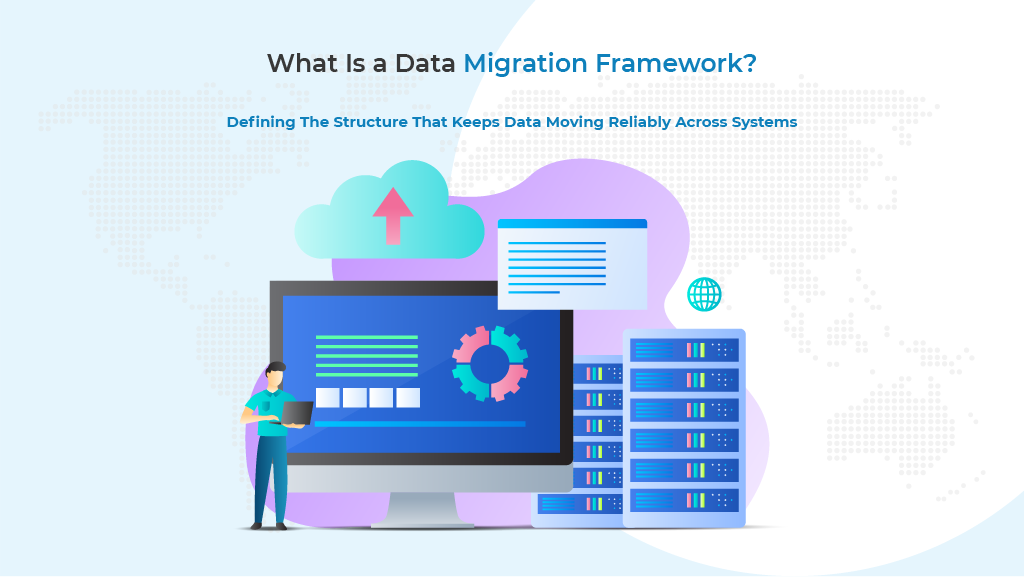
A data migration framework is a structured system that manages how data is moved from one source to another in a reliable and repeatable way. Instead of copying data once and hoping it stays correct, a data migration framework defines rules, steps, and checks that keep data consistent over time.
The basic idea behind a data migration framework
At its core, a data migration framework focuses on how data flows between systems. It controls where the data comes from, how it is changed, and where it finally ends up. This approach is very different from manual imports or quick scripts that only work once.
A typical data migration framework is designed to handle ongoing data movement, not just a single transfer. This makes it useful for businesses that depend on fresh and accurate data every day.
Key goals of a data migration framework include:
- Moving data in a controlled and predictable way
- Reducing human errors during updates
- Making sure data stays accurate across systems
- Supporting repeated or scheduled data updates
These goals explain why a data migration framework is often used when data changes frequently or comes from external sources.
If your data comes from external systems, this guide on The Best Way to Integrate API into WordPress and Connect to Third-Party REST API Endpoints in 2025 explains the practical challenges of pulling live data into a WordPress-based platform.
How data migration frameworks work in simple terms
Most frameworks follow a clear process that is easy to understand, even without deep technical knowledge. This process is often described as extract, transform, and load.
In simple words, a data migration framework:
- Extracts data from the source system
- Transforms the data so it matches the destination format
- Loads the data into the target system
This flow allows teams to control how data is shaped and validated before it is used. It also makes it easier to detect problems early instead of discovering errors after users are affected.
Key components of a data migration framework
A data migration framework is more than just a data transfer tool. It usually includes several important components that work together.
Common components include:
- Source connectors that pull data from files, APIs, or platforms
- Transformation rules that clean or map data fields
- Validation checks to confirm data accuracy
- Logging and error handling to track issues
These components help ensure that data migrations remain stable even as systems grow more complex.
Data migration framework versus one-time data migration
Many businesses confuse a data migration framework with a one-time data migration. The difference becomes clear when you compare their purpose and behavior.
| Aspect | One-time data migration | Data migration framework |
|---|---|---|
| Usage | Single transfer | Ongoing or repeatable |
| Error handling | Limited | Built-in checks |
| Automation | Mostly manual | Automated workflows |
| Scalability | Low | High |
| Long-term value | Short lived | Long term |
This comparison shows why a data migration framework is better suited for systems that must stay in sync over time.
By understanding what a data migration framework does and how it works, it becomes easier to see why simple data migrations often fail as businesses grow.
The next section builds on this idea by explaining how data migrations differ from database migrations and why this distinction matters.
2. Data Migrations vs. Database Migrations
Before choosing any solution, it is important to understand the difference between data migrations and database migrations. This section clears up a common source of confusion and explains why mixing these ideas often leads to broken workflows.
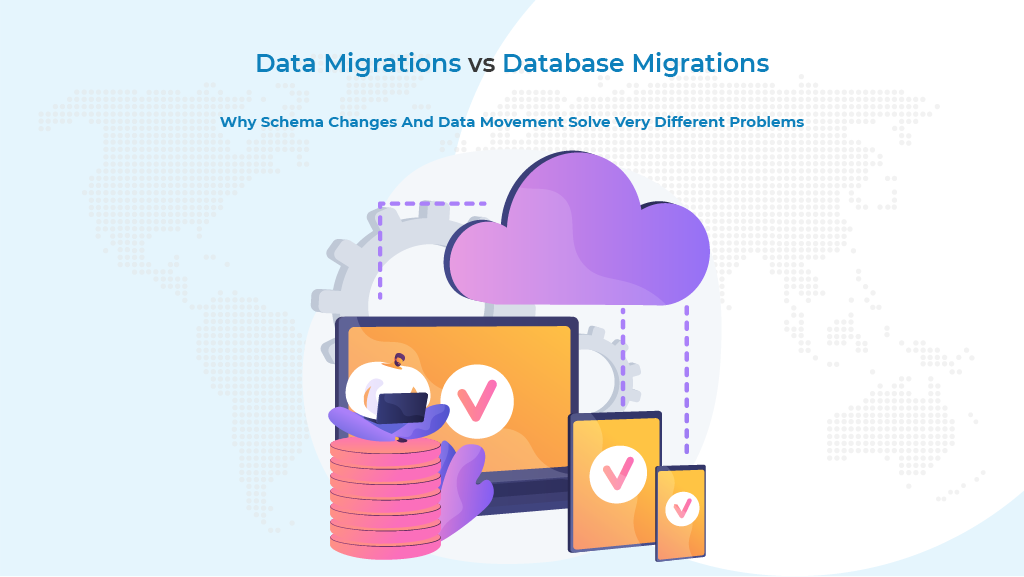
Data migrations and database migrations solve different problems, even though they are often mentioned together.
Understanding where each one fits helps teams avoid using the wrong tool for the job.
What are database migrations, and what do they handle
Database migrations are mainly about structure. They define how a database changes over time as an application grows. These changes are usually planned by developers and tracked in version-controlled files.
Database migrations typically deal with:
- Creating or modifying tables
- Adding or removing columns
- Changing indexes or constraints
- Rolling schema changes forward or backward
Database migrations are very useful when an application evolves. However, they do not manage real-world data that comes from outside the database.
What data migrations focus on instead
Data migrations are concerned with the actual records inside the system. They move real information such as names, addresses, hours, and coordinates from one place to another. This includes both one-time transfers and ongoing updates.
Data migrations usually involve:
- Moving data between systems
- Mapping old fields to new ones
- Cleaning or transforming values
- Verifying that records remain accurate
Unlike database migrations, data migrations directly affect what users see and interact with.
Why database migrations are not enough on their own
Many teams assume database migrations will keep their systems aligned. This assumption works only when all data lives inside a single application.
Problems appear as soon as external systems are involved.
Database migrations fall short because:
- They do not pull data from external sources
- They do not update existing records automatically
- They do not validate business-level data
- They cannot handle ongoing synchronization
Microsoft’s guidance on data migration best practices highlights that planning and validation are critical steps that go far beyond schema updates alone. This reinforces the idea that database migrations are only part of a larger picture.
A simple comparison of both approaches
The table below shows how data migrations and database migrations differ in purpose and outcome.
| Area | Database migrations | Data migrations |
|---|---|---|
| Primary focus | Database structure | Actual data records |
| Typical owner | Developers | Developers and operations teams |
| External data | Not supported | Fully supported |
| Automation level | Limited to schema | Can be fully automated |
| Ongoing updates | Not designed for it | Core use case |
This comparison makes it clear why teams that rely only on database migrations struggle when data changes frequently.
By separating these two concepts, it becomes easier to understand where problems start and how they can be avoided.
The next section builds on this foundation by explaining why even traditional data migration frameworks often fail when applied to store and location-based data.
3. Why Traditional Data Migration Plans Fail for Store Data
Not all data behaves the same way, and this is where many traditional approaches start to break down.
This section explains why even well-known data migration frameworks often fail when they are applied to store and location-based data.
Most general data migration frameworks are designed for static or slow-changing datasets. They work well when data moves once or changes occasionally.
Store data, however, changes often and affects real customers every day.
Store data is always changing
Store and location data are not fixed. It evolves constantly as businesses grow and adapt. This creates pressure that many traditional data migration frameworks are not built to handle.
Common changes include:
- Store openings and closures
- Updated business hours
- Address corrections
- Category and service changes
When data changes this frequently, one-time data migrations quickly become outdated.
Generic frameworks assume controlled environments
Many frameworks assume that both the source and destination systems are stable and controlled by the same team.
This assumption does not hold true for store data that lives outside the main platform.
Traditional frameworks struggle because:
- External systems update data independently
- Spreadsheets and CRMs lack a strict structure
- APIs return data in changing formats
- Manual fixes create inconsistencies
These gaps lead to data that looks correct in one system but is wrong in another.
Manual fixes increase long-term risk
When frameworks fail to handle real-world changes, teams often rely on manual work. This creates hidden risks that grow over time.
Manual intervention usually results in:
- Repeated imports and exports
- Conflicting versions of the same data
- Higher chances of human error
- Delayed updates across platforms
Over time, these issues reduce trust in the data and increase operational costs.
Why does scale make the problem worse?
As the number of locations increases, the cost of poor data handling multiplies. What works for ten stores rarely works for hundreds.
| Scale level | Manual migration impact | Framework limitation |
|---|---|---|
| Small | Manageable effort | Minor issues |
| Medium | Frequent errors | Sync delays |
| Large | High operational risk | Data inconsistency |
This table shows why traditional data migration frameworks struggle as store networks expand.
By understanding these limitations, it becomes clear that the problem is not data migration itself, but the lack of a framework designed for constantly changing store data.
While there are many tools available for syncing data, this overview of popular data synchronization tools shows why most generic solutions struggle with frequently changing datasets.
The next section focuses on the real challenge businesses face when trying to keep store locator data accurate and in sync.
4. The Real Challenge: Keeping Store Locator Data in Sync Post Migration
Once the limits of traditional approaches are clear, the real challenge comes into focus. This section explains why keeping store locator data in sync is one of the hardest data problems businesses face today.
Store locator data sits at the intersection of multiple systems. It is often created in one place, edited in another, and displayed somewhere else. A data migration framework must handle all of this without breaking accuracy or timing.
Store locator data comes from many sources
Unlike internal application data, store locator information rarely lives in a single system. Different teams manage different parts of it, which creates gaps and delays.
Common sources of store data include:
- Spreadsheets used by operations teams
- CRM systems that store business profiles
- External services accessed through APIs
- Internal dashboards updated manually
When each source updates independently, keeping everything aligned becomes difficult.
Why accuracy matters more than speed
For store locator data, accuracy is more important than how fast data is moved. Even small errors can have a visible impact on customers and business reputation.
Examples of accuracy issues include:
- Incorrect store hours are causing customer frustration
- Wrong addresses leading to failed visits
- Missing categories affecting search results
- Outdated coordinates are placing stores in the wrong map location
These problems often come from delayed or incomplete data migrations rather than technical failures.
One-time updates do not solve ongoing changes
Many teams attempt to solve sync issues with periodic imports. This approach works briefly, but it does not scale as changes increase.
One-time or periodic updates fail because:
- Data changes between update cycles
- Manual checks are skipped under pressure
- Conflicts appear when multiple edits occur
- Errors remain unnoticed until customers report them
A data migration framework that cannot handle continuous updates will always lag behind real business activity.
These challenges are not limited to store locators alone, as platforms like WP Maps also depend on accurate and frequently updated location data to deliver reliable user experiences.
Many teams still manage store data using spreadsheets, and this article on connecting Google Sheets with automation tools highlights both the convenience and limitations of spreadsheet-based workflows.
Why does store locator data need a different approach
Store locator data behaves differently from standard datasets. It is public-facing, location-sensitive, and closely tied to customer trust.
The table below highlights why store locator data requires special handling.
| Data characteristic | Impact on migration |
|---|---|
| Frequent updates | Requires continuous syncing |
| External ownership | Needs flexible source handling |
| Public visibility | Demands high accuracy |
| Location based | Requires precise mapping |
This makes it clear that a generic data migration framework is often not enough on its own.
By understanding the unique nature of store locator data, it becomes easier to see why businesses struggle to keep it accurate.
The next section introduces a purpose-built approach designed specifically to solve this problem and explains when such a data migration framework makes sense.
5. A Purpose-Built Data Migration Framework for Store Data
After understanding the problem, this is the moment where everything comes together. This section explains why a purpose-built approach changes how businesses think about data and why the right data migration framework can finally remove daily operational stress.
For many teams, storing data becomes a constant source of frustration. Updates feel endless. Accuracy feels fragile. Every manual fix adds more risk.
This is where a data migration framework designed specifically for storing data stops being a technical choice and starts becoming a business necessity.
Why store data deserves special treatment
Store data is not just another dataset. It represents real places, real people, and real customer experiences. When this data is wrong, customers lose trust immediately. No amount of marketing can fix that damage.
Store data has unique demands:
- It changes frequently without warning
- It is managed by multiple teams
- It often lives outside the main website
- It is visible to customers at all times
A generic data migration framework treats store data like static records. A purpose-built solution treats it like a living system that must stay accurate every day.
Where most frameworks stop, and real problems begin
Many frameworks promise flexibility but fall short when applied to real store operations. They move data, but they do not manage change. They transfer records, but they do not maintain consistency.
This is where teams feel the gap:
- Updates appear late on the website
- Manual corrections pile up
- Different systems show different values
- Trust in the data slowly disappears
At this point, data migration becomes a burden instead of a solution.
How a purpose-built framework changes the experience
A store-focused data migration framework is built around one simple idea. Store data should always reflect the latest truth, no matter where it is managed.
This is where the Agile Sync Add-on fits naturally into the picture. Instead of forcing store data into generic workflows, Agile Sync is designed around how store data actually behaves in the real world.
It works alongside Agile Store Locator to keep location data accurate without repeated manual effort. Updates made in external systems flow into the store locator in a controlled and reliable way.
What makes this data migration framework different
Agile Sync does not try to be everything. It focuses on one job and does it well. It keeps store data synchronized from the systems teams already use.
Key capabilities include:
- Syncing store data from Google Sheets, Salesforce, Smartsheet, and REST APIs
- Mapping external fields to store locator fields clearly
- Running scheduled updates without manual triggers
- Validating data before it appears on the website
This turns data migration from a repeated task into a stable process.
Why this matters for growing businesses
As store networks grow, the cost of bad data grows faster. What feels manageable with ten locations becomes overwhelming with a hundred.
A purpose-built data migration framework helps businesses:
- Reduce operational overhead
- Eliminate repeated manual imports
- Maintain consistent store information
- Build long-term trust with customers
For franchise and multi-location businesses, this shift is often the difference between scaling smoothly and constantly fixing problems.
When data stops being a problem
The real value of a store-focused data migration framework appears when teams stop worrying about data altogether. Updates happen. Records stay aligned. Errors are caught early.
At that point, data migration fades into the background, where it belongs.
By solving the real pain behind store data management, Agile Sync transforms a complex technical challenge into a predictable and reliable process. The next section explains how to know when this type of data migration framework is the right fit for your business.
6. When Agile Sync Is the Right Data Migration Framework
After seeing how store data behaves in real life, the next question is practical. This section helps you decide when a specialized approach makes sense and when a data migration framework like Agile Sync becomes the right choice.
Not every business needs advanced automation on day one. However, certain signals show clearly when basic data migrations and manual processes are no longer enough.
Signs your current data migration approach is failing
Many teams live with broken workflows longer than they should. Problems feel familiar, so they get ignored. Over time, these small issues grow into daily operational stress.
You may need a better data migration framework if:
- Store data is updated in spreadsheets or CRMs
- Manual imports are done repeatedly
- Different systems show different store information
- Errors are discovered by customers, not internally
These signs indicate that data migration is happening, but without structure or reliability.
Why one-time data migrations stop working as you scale
A single data migration can work during early setup. It does not work when change becomes constant. This is a key moment where businesses misunderstand what data migration really means.
What starts as a simple task slowly becomes a cycle:
- Export data
- Clean it manually
- Import it again
- Fix mistakes after publishing
This cycle drains time and introduces risk. A proper data migration framework replaces this pattern with controlled and repeatable updates.
How Agile Sync fits into modern data workflows
Agile Sync is designed for teams that already know their data lives outside WordPress. Instead of forcing new habits, it connects existing systems directly to the store locator.
It is especially effective when:
- Store data is managed in Google Sheets
- Sales or operations teams use Salesforce
- Location data comes from external APIs
- Updates must appear without delays
In these cases, Agile Sync acts as a bridge rather than a replacement, allowing data to flow cleanly into the store locator.
A simple decision guide
The table below shows when a generic approach may still work and when a purpose-built data migration framework is needed.
| Situation | Basic migration | Agile Sync framework |
|---|---|---|
| One-time setup | Suitable | Optional |
| Frequent updates | Risky | Recommended |
| External data sources | Limited | Fully supported |
| Multi-location growth | Difficult | Designed for scale |
This comparison helps clarify the decision without overcomplicating it.
Choosing stability over constant fixes
The goal of any data migration framework should be stability. Teams should not spend their time chasing missing updates or correcting published errors.
When store data becomes reliable, teams regain focus. Operations move faster. Customer trust improves.
By recognizing these signals early, businesses can move away from fragile data migrations and adopt a framework that supports growth instead of slowing it down. The final section wraps up everything discussed and brings the full picture together.
7. Choosing the Right Data Migration Strategy for Long-Term Success
At this point, all the pieces are on the table. This final section brings everything together and helps you look at data migration with a long-term mindset rather than as a short-term task.
Throughout this guide, we have seen that not all data problems are the same. Database migrations help applications evolve, but they do not keep business data aligned.
Basic data migrations move records once, but they struggle when change becomes constant. A data migration framework exists to bridge this gap by turning data movement into a stable and repeatable process.
Why the right framework matters more than quick fixes
Many businesses delay improving their data workflows because temporary solutions seem easier. Over time, these shortcuts create more work, more errors, and more frustration.
A reliable data migration framework helps by:
- Reducing manual effort across teams
- Keeping data consistent across systems
- Catching errors before customers see them
- Supporting growth without added complexity
These benefits are not about speed alone. They are about confidence in the data that powers daily decisions.
Bringing clarity to store and location data
Store and location data highlights why structure matters so much. This data is public, customer-facing, and closely tied to trust. When it is wrong, the impact is immediate.
By moving away from repeated data migrations and adopting a purpose-built approach, businesses gain control over how data flows from external systems into their websites. This shift replaces constant fixes with predictable outcomes.
Looking ahead with the right foundation
Choosing a data migration framework should not be based only on current needs. It should support where the business is going next. As systems become more connected and updates happen more often, the value of automation and validation increases.
When store data stays accurate without daily intervention, teams can focus on growth instead of maintenance. That is the real sign of a framework doing its job well.
In the end, the right data migration framework is the one that quietly keeps everything in sync while your business moves forward with confidence.
Frequently Asked Questions About Data Migration Frameworks
What are data migration tools, and how are they used in migration projects?
Data migration tools are software solutions used to move and manage data during migration projects.
In a data migration project, these tools help automate the migration process by handling tasks such as extracting data, validating data quality, and ensuring data integrity while transferring data between systems.
What is a data migration project and why is planning important?
A data migration project involves migrating data from a legacy system or data center to a new data platform, cloud environment, or data warehouse.
A clear data migration plan is important because it defines the migration strategy, timelines, migration activities, and controls needed to avoid data loss and protect sensitive data.
What is the data migration process in simple terms?
The data migration process is the structured movement of data from one storage system to another.
It usually includes assessing data assets, preparing the migration process, transferring data, validating results, and managing post-migration tasks to confirm data access and accuracy.
How does data quality affect modern data migration?
Data quality plays a critical role in modern data migration. Poor data quality can lead to errors, incomplete records, and unreliable reports.
A robust data migration framework includes checks that protect data integrity and ensure that migrated data remains accurate and usable after the migration process is complete.
What are common data migration strategies used by organizations?
Data migration strategies vary based on business needs and data volumes. Some organizations use phased migration strategies, while others prefer a full cutover approach.
Choosing the right data migration strategies depends on the amount of data, system complexity, data governance rules, and the need to minimize downtime.
How is cloud migration different from traditional data migration?
Cloud migration focuses on moving data from on-premise data storage systems or a data center to cloud data platforms.
Cloud data migration requires additional attention to data security, data access controls, and compliance, especially when transferring sensitive data across environments.
What role does a data migration tool play in preventing data loss?
A data migration tool helps reduce the risk of data loss by automating the movement of data, tracking errors, and validating results during the migration process.
These tools are especially important when migrating large data volumes or when moving data from one location to another multiple times.
Why is data integrity critical when migrating data?
Data integrity ensures that data remains complete and accurate throughout the movement of data. During a data migration project, maintaining data integrity protects business operations and prevents issues caused by missing or corrupted data after migration.
How do data warehouses and data lakes fit into data migration?
A data warehouse is often used for structured reporting data, while a data lake stores large amounts of data in raw form.
Data migration frameworks help migrate data from one storage system into a data warehouse or data lake while preserving data assets and supporting long-term analytics.
What challenges arise when migrating data from a legacy system?
Migrating data from a legacy system is challenging because older systems often store data in outdated formats.
A modern data migration approach focuses on mapping fields correctly, handling data volumes efficiently, and ensuring that moving data from one system does not break downstream processes.
Who is responsible for managing data migration activities?
Data migration activities are usually managed by a data engineer or a technical team responsible for data integration, security, and validation.
These teams work closely with business stakeholders to ensure the migration strategy and tools align with operational needs.
What happens after the post-migration is complete?
Post migration involves verifying data access, reviewing logs, confirming that all data assets were transferred correctly, and monitoring system performance. This stage ensures that moving data from one location to another has not introduced errors or performance issues.
Data Migration Best Practices
How can organizations safely migrate large amounts of data?
To migrate data safely, organizations should assess data volumes, classify sensitive data, and use robust data migration tools.
Planning for data security and testing the migration process before execution reduces the risk of data loss.
Why is data governance important in data migration?
Data governance defines how data is managed, secured, and accessed during and after migration.
Strong data governance policies help protect cloud data, control data access, and ensure compliance when transferring data across systems.