
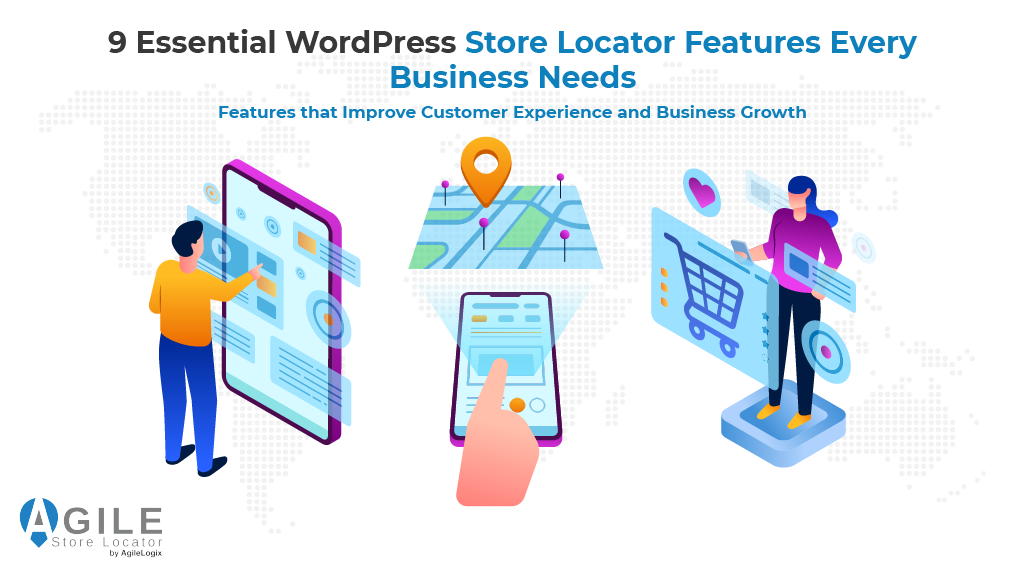
Choosing the right WordPress Store Locator is about much more than adding a map to your website. Modern customers expect to find nearby branches, dealers, franchises, and pickup locations within seconds, making the quality of your location experience just as important as the products or services you offer.
Unfortunately, many businesses compare plugins by the number of features they advertise rather than the value those features actually deliver.
While one solution may list dozens of capabilities, only a handful truly improve customer journeys, simplify location management, strengthen local SEO, and support long-term business growth.
This guide focuses on the nine essential WordPress Store Locator features that every growing business should prioritize. Instead of comparing plugins, we’ll explain what each feature does, why it matters, and how it helps retailers, dealer networks, franchises, and multi-location businesses create a better experience for both customers and administrators.
By the end of this article, you’ll know exactly which application’s capabilities deserve your attention—and which ones separate an enterprise-ready solution from an ordinary locator.
2- Why the Right Features Matter More Than the Number of Features
Choosing a WordPress Store Locator based solely on the number of features is one of the most common mistakes businesses make.
While many plugins advertise long feature lists, not every capability contributes to a better customer experience or more efficient location management. The real value lies in selecting features that solve genuine business challenges.
For example:
- A retailer managing multiple locations may benefit far more from advanced search, Google Maps integration, and centralized management than from cosmetic customization options.
- Likewise, a dealer finder or outlet finder should focus on helping customers locate the right branch quickly rather than overwhelming them with unnecessary functionality.
Instead of asking, “Which plugin has the most features?”, ask:
- Does it help customers find locations faster?
- Does it simplify location management?
- Can it scale as the business grows?
- Will it improve local visibility and customer satisfaction?
The best store locator software features are those that deliver measurable business outcomes. Faster searches reduce customer frustration, better maps improve navigation, and efficient management tools save administrators valuable time.
This is exactly why growing businesses evaluate features before products.
Once you understand which capabilities truly matter, comparing solutions becomes much easier.
One platform that brings these essential WordPress Store Locator features together is Agile Store Locator. Before exploring each feature individually, let’s see how a modern solution combines them into a single, scalable platform.
Choosing the Right WordPress Store Locator Plugins
With so many WordPress Store Locator plugins available, selecting the right solution can feel overwhelming. While some businesses start with a free tool, growing organizations often benefit from a premium WordPress solution that offers greater flexibility, scalability, and long-term support.
The table below highlights the qualities businesses should prioritize when comparing solutions.
| What to Look For | Why It Matters |
|---|---|
| Seamless WordPress integration | Works smoothly with your existing WordPress site |
| Page builder compatibility | Makes designing location pages easier |
| Customizable layouts | Maintains consistent branding |
| Long-term scalability | Supports business growth without replacing the plugin |
The best store locator plugin should integrate seamlessly with your WordPress site, work alongside your preferred page builder, and provide a customizable experience that matches your branding.
Whether you’re running an online store, managing multiple physical store locations, or launching a WooCommerce store locator, look for a store locator for WordPress that includes:
- Advanced search
- Filter stores functionality
- Get directions
- Support for adding Google Maps
A quality Google Maps plugin should also allow you to create a customizable store experience with custom styling, responsive layouts, and optional CSS customization for developers who need complete design control.
Many modern location plugins also support importing locations through a CSV or Excel file, making it easy to add hundreds of store locations or launch a new store locator without entering every location manually.
Some solutions even offer:
- Multilingual support
- A free trial
- Compatibility with Google Maps or Mapbox
These capabilities allow businesses to choose the mapping platform that best fits their requirements.
When comparing options—including well-known solutions like Store Locator Plus—pay close attention to what the plugin includes, how easily users find nearby locations, and whether the platform can continue supporting your business as it grows.
Additional WordPress Store Locator Considerations
Choosing the right WordPress Store Locator involves more than evaluating the nine essential features discussed above.
A well-designed WordPress plugin should also fit naturally into your existing website, support future customization, and simplify ongoing management for both administrators and customers.
A quality store locator plugin for WordPress should integrate seamlessly with other WordPress plugins, offering:
- Flexible plugin settings
- Custom fields
- An embeddable widget
- Easy-to-use shortcode support
Many businesses also benefit from advanced locator shortcodes, allowing them to place a store locator page anywhere on their website while maintaining complete control over layout and functionality.
If you operate a growing dealer locator, outlet locator, or network of franchise finders, your WordPress Store Locator should include:
| Essential Capability | Business Benefit |
|---|---|
| Searchable store list | Helps customers quickly locate nearby locations |
| Dedicated store details | Displays accurate contact information |
| Configurable store hours | Keeps customers informed before they visit |
| Custom markers | Makes different location types easier to identify |
These capabilities improve customer experience while making it easier to manage every location from a central dashboard.
Customization is equally important.
The best WP Store Locator plugin should allow you to customize map layouts, marker styles, categories, and user interactions without requiring extensive development.
Features such as Google Maps API key configuration, flexible API integrations, and directory-style listings help transform a basic locator into a complete directory plugin that grows alongside your business.
Businesses that need a map locator plugin WordPress solution should also evaluate how easily new locations, categories, and services can be added over time.
Finally, think beyond today’s requirements.
Whether you’re building a regional dealer locator, expanding a national franchise path, or simply comparing alternatives to a WP Store Locator, the best WordPress Store Locator is one that remains scalable for years.
Even businesses researching a Snap-on franchise locator or similar industry-specific solutions ultimately benefit from choosing a platform that supports customization, integrations, and long-term growth instead of limiting future expansion.
3- How Agile Store Locator Combines Every Essential Feature

Understanding which features matter is only half the equation.
The next step is finding a solution that brings them together in a way that is intuitive for customers and easy for businesses to manage.
This is where Agile Store Locator (ASL) stands out.
Instead of offering isolated tools, ASL combines the essential WordPress Store Locator features growing businesses rely on every day.
- Customers can search by city, ZIP code, category, or proximity, view interactive Google Maps with custom markers, and quickly locate the nearest branch, dealer, or outlet.
- Meanwhile, administrators can manage hundreds or even thousands of locations through centralized tools, bulk imports, API integrations, and flexible customization options.
Whether you operate a:
- Retail chain,
- Dealer finder
- Franchise network
- WooCommerce business
The platform is designed to simplify both customer journeys and day-to-day operations.
Features like:
- Advanced filters
- Shop management
- Local SEO support
- WooCommerce integrations
- Scalable location management
All the above work together to create a complete store finder software solution instead of a collection of disconnected capabilities. Here is a demo of the store locator widget that you can add to your website.
If you’re ready to implement these WordPress Store Locator features instead of simply reading about them, explore Agile Store Locator and see how every capability works together in a real-world solution.
The following sections break down the nine essential WordPress Store Locator features that every growing business should prioritize—and explain why each one has a direct impact on customer experience, operational efficiency, and long-term growth.
4- Features #1–#3: Smart Search, Google Maps, and Location Discovery

Help Customers Find the Right Location Quickly and Confidently.
The primary purpose of any WordPress Store Locator is simple: to help customers reach the right location with as little effort as possible.
Whether someone is searching for a nearby dealer, franchise, or retail outlet, the experience should be fast, intuitive, and accurate.
These first three WordPress Store Locator features form the foundation of every successful location finder.
Feature #1: Smart Search
Customers expect to find nearby locations within seconds—not to scroll through long address lists.
A modern WordPress Store Locator should support searches by city, ZIP code, postcode, address, or proximity, while also offering predictive search and category-based filtering.
Faster searches reduce frustration and increase the likelihood of customers visiting the correct location.
See how ASL has a smart search widget that allows customers to easily find a store by just typing in part of an address
Feature #2: Interactive Google Maps
Maps should do more than display pins.
A quality solution should leverage the Google Maps API to provide responsive maps, clear marker placement, custom markers, turn-by-turn directions, and a consistent look and feel that matches your branding. Furthermore, businesses can also benefit from knowing how to customize locator layouts using Elementor.
Businesses that want to unlock the full potential of interactive mapping can also explore the official Google Maps Platform documentation for developers, which explains features such as routing, geocoding, map styling, and location APIs that improve modern store locator experiences.
Visual design is just as important as functionality.
Using distinctive markers for dealers, service centers, pickup locations, and retail stores makes the map easier to understand at a glance. Therefore, you can add custom icons to improve map marker visibility to create a more intuitive and branded customer experience.
Feature #3: Intelligent Location Discovery
The best experience doesn’t always begin with a search.
Many customers simply want the nearest location based on where they are. Automatic geolocation, intelligent ranking, and mobile-friendly navigation help users discover the most relevant branch without additional effort.
Businesses can further improve usability by Add Custom Icons to Improve Map Marker Visibility, making different location types easier to recognize at a glance.
Together, these three capabilities create the first impression of your WordPress Store Locator.
When search, maps, and location discovery work seamlessly, customers spend less time looking for locations and more time visiting them.
To see the store locator widget of Agile Store Locator in action, you can view the following demo.
5- Features #4–#6: Filters, Branch Management, and Integrations
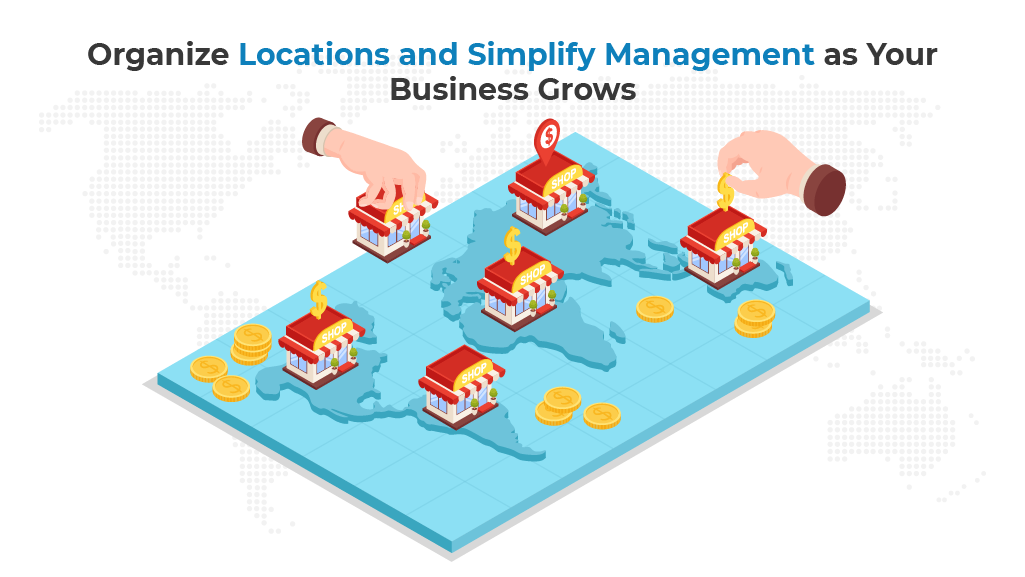
As your business expands, helping customers find the right location is only part of the challenge.
Managing hundreds of locations, synchronizing store data, and connecting your WordPress Store Locator with existing business systems become equally important.
These next three store locator features are designed to improve both customer experience and operational efficiency.
Feature #4: Advanced Filters and Categories
Not every customer is searching for the same type of location.
Some may need an authorized dealer locator, while others are looking for an outlet finder, service center, franchise, or pickup point.
Advanced filters allow visitors to narrow results by category, services, products, or region, helping them find the most relevant location without unnecessary searching.
Instead of displaying every location, a well-designed store finder software solution guides customers directly to the one that best meets their needs.
Feature #5: Centralized Branch Management
Managing dozens—or even thousands—of locations manually is time-consuming and error-prone.
A scalable WordPress Store Locator should include centralized management, bulk CSV imports, API connectivity, and efficient update tools so every location stays accurate.
The table below highlights the difference between basic and advanced location management.
| Basic Locator | Advanced WordPress Store Locator |
| Manual location updates | Bulk CSV imports and API synchronization |
| Limited customization | Flexible custom fields and categories |
| Individual location edits | Centralized multi-location management |
| Difficult data migration | Simple import and export workflows |
Businesses managing large location databases can safely migrate thousands of outlet locations without downtime.
Feature #6: WooCommerce and Business Integrations
For many organizations, an outlet finder is only one part of a larger digital ecosystem.
Integrating with WooCommerce allows customers to locate pickup points, nearby locations, or fulfillment locations while improving the shopping experience.
Popular integrations include:
- WooCommerce Local Pickup
- Table Rate Shipping
- Inventory visibility
- Branch manager permissions
- Automated location updates
From the upcoming link, businesses can compare the best WooCommerce local pickup plugin solutions if they ever decide to implement one.
Together, these capabilities transform a basic locator into comprehensive store locator software features that support growing retailers, dealer networks, and franchise businesses.
Agile Store Locator also has 2 quality add-ons that are designed to provide extra value to users:
- Multi Store Addons for WooCommerce – an addon used for multi-store management, efficient shipping, smooth inventory management and much more.
- Agile Sync Addon – Used to effortlessly sync shop data from an external source with Agile Store Locator
6- Features #7–#9: Local SEO, Scalability, and Future Growth

Key Takeaways
- Prioritize Local SEO.
- Choose scalable architecture.
- Invest in API integrations.
The final three WordPress Store Locator features focus on long-term growth.
A modern solution should not only help customers find nearby locations today but also improve search visibility, support expansion, and adapt as your business evolves.
Feature #7: Local SEO and Individual Location Pages
A great WordPress Store Locator does more than display a map—it helps every location become discoverable in search results.
Dedicated location pages with unique contact information, shop hours, directions, and structured branch details give search engines more context while helping customers find nearby branches organically.
Consistent business information across the web is equally important. As a result, following the Google Business Profile guidelines for managing business locations helps ensure your addresses, phone numbers, opening hours, and other business details remain accurate across Google Search and Google Maps.
Google also recommends creating original, location-specific content instead of duplicating pages for every branch. Their Google Search guidance for creating helpful location pages explains how unique content can improve both user experience and long-term local SEO performance.
Feature #8: Scalability for Growing Businesses
Many businesses begin with a handful of locations but eventually expand into regional, national, or international networks.
The right WordPress Store Locator should scale effortlessly from ten locations to thousands without sacrificing performance or manageability.
As your organization grows, look for capabilities such as:
- Multi-location management
- Support for expanding franchise finders
- Flexible outlet locator configurations
- Enterprise-ready APIs and integrations
- Role-based administration
If your goal is to build a nationwide dealer network, see this resource on how businesses build powerful dealer finder systems.
Feature #9: Future-Proof Integrations
Business requirements continue to evolve, which is why flexibility is just as important as today’s feature set.
The best solutions support APIs, third-party services, automation platforms, and future integrations without requiring major redevelopment.
Introducing WP Maps as an Alternative Solution
For organizations that need more than a traditional WordPress Store Locator, WP Maps offers a different approach.
As a standalone platform outside the WordPress ecosystem, it combines a product locator and outlet finder into a single solution, making it well-suited for larger organizations, multi-platform deployments, and businesses that want customers to locate both products and nearby locations.
From here, you can explore WP Maps, which has enterprise-ready product and outlet locator capabilities.
Ultimately, the best WordPress Store Locator features are the ones that continue delivering value as your business grows.
Investing in scalability, local SEO, and future-ready integrations today reduces costly migrations and ensures your location platform remains an asset for years to come.
7- Choose a WordPress Store Locator Built for Long-Term Success

Selecting the right WordPress Store Locator is about much more than comparing long feature lists.
The best solution is one that improves customer experience, simplifies day-to-day management, and continues supporting your business as it grows.
The nine essential features discussed in this guide form the foundation of a modern location platform:
- Smart search and intuitive location discovery
- Interactive Google Maps with custom markers
- Advanced filters for dealers, outlets, and franchises
- Centralized location management
- WooCommerce and business integrations
- Local SEO optimization
- Enterprise scalability
- Flexible APIs and future-ready integrations
- Long-term operational efficiency
Rather than evaluating plugins based on how many capabilities they advertise, focus on whether those features solve real business problems.
A scalable solution should help customers find locations faster, reduce administrative work, improve local search visibility, and support future expansion without requiring costly migrations.
If you’re looking for a solution that combines all of these capabilities in one platform, then explore every advanced feature included in Agile Store Locator.
Moreover, from the upcoming resource, you can also build flexible branch finder layouts with the Gutenberg editor to create modern location pages that integrate naturally with your WordPress website:
Whether you’re building a simple dealer locator, a nationwide outlet finder, or an enterprise-grade store finder software solution, choosing the right WordPress Store Locator today will provide a stronger foundation for customer engagement, local SEO, and sustainable business growth tomorrow.
Frequently Asked Questions
Can I use a free WordPress Store Locator before upgrading?
Yes. A free WordPress Store Locator is suitable for testing basic functionality, but businesses with multiple physical store locations often benefit from upgrading to a premium solution that offers advanced search, scalability, and additional management features. Many providers also offer a free trial to help you evaluate the software before purchasing.
Do WordPress Store Locator plugins work with WooCommerce?
Absolutely. Most modern WordPress plugins integrate with WooCommerce, making them ideal for building a WooCommerce store locator that helps customers locate nearby stores, pickup points, or dealers before placing an order.
Can I import hundreds of store locations at once?
Yes. Most professional solutions support bulk imports using a CSV or Excel file, allowing you to quickly add or update large numbers of store locations while keeping business information organized and accurate.
Do I need a Google Maps plugin to build a store locator?
Most businesses prefer a Google Maps plugin because customers are already familiar with Google Maps. However, some advanced solutions also support Google Maps or Mapbox, giving businesses greater flexibility depending on their technical requirements.
Can I customize the appearance of my Outlet Finder?
Yes. The best solutions provide extensive customization options, including configurable layouts, custom markers, filters, and CSS controls. This allows you to create a fully customizable store locator that matches your website’s branding without sacrificing usability.