
Data migrations often sound simple at first.
Many people assume it is just about copying data from one place to another and moving on. In reality, data migrations are one of the most common sources of long-term problems in growing systems.
As businesses add new tools, migrate to the cloud, or connect external platforms, the movement of data becomes more complex.
Small mistakes during data migrations can lead to missing records, outdated information, and broken workflows. These issues usually do not appear immediately. They surface later, when systems grow, and accuracy starts to matter more.
This confusion is made worse by overlapping terms such as database migrations and data migration processes. While these concepts are related, they solve very different problems. Without understanding this difference, teams often choose the wrong approach and repeat the same mistakes.
In this article, we break down what data migrations really involve, why they fail in real-world scenarios, and how complexity increases as systems scale.
By the end, you will have a clear understanding of when basic data migrations work and when a more structured approach becomes necessary.
1. What Is Data Migration?
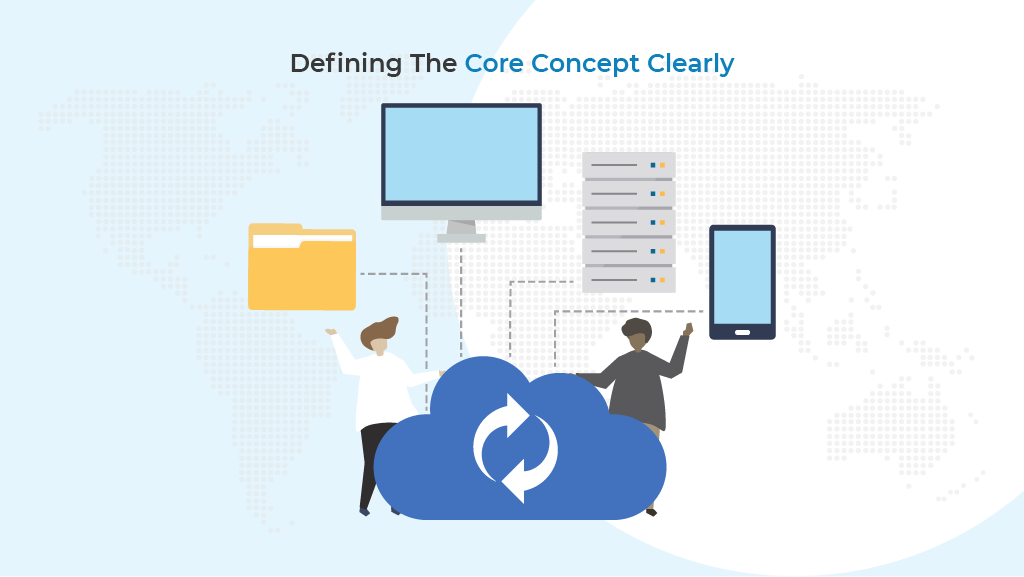
Before going deeper into problems and solutions, it is important to clearly define what data migration actually means.
This section explains the concept in simple terms so everyone starts from the same understanding.
Data migration is the process of moving data from one system to another. This can involve moving data from old software to new software, from on-premise systems to the cloud, or from multiple sources into a single platform.
The goal is not just to move information, but to make sure it remains accurate, complete, and usable after the move.
A simple way to understand data migration
At a basic level, data migration focuses on transferring records from a source system to a destination system. These records may include customer details, product information, locations, pricing, or operational data.
Common examples include:
- Moving data from spreadsheets into a central platform
- Shifting information from a legacy system to a modern application
- Consolidating data from multiple tools into one system
Although this sounds straightforward, real-world data migrations involve many hidden steps that are easy to overlook.
Why data migration is more than copying data
Many teams assume data migration is the same as copying files or exporting and importing tables. This assumption often leads to problems later.
A proper data migration process usually includes:
- Reviewing the source data for errors
- Mapping old fields to new fields
- Cleaning and formatting values
- Verifying results after the transfer
Enterprise platforms like IBM describe data migration as a structured process that requires planning and validation to avoid data loss and inconsistencies. This reinforces that successful data migrations depend on more than speed alone.
When data migration becomes risky
The risk in data migration increases as systems grow and data changes more often. What works for a small dataset may fail when data volumes increase or when updates happen daily.
Risks commonly appear when:
- Data comes from multiple external sources
- Ownership of data is unclear
- Manual steps are repeated frequently
- Validation is skipped to save time
These risks explain why many data migrations succeed at first but fail to scale.
By understanding what data migration really involves and where the risks come from, it becomes easier to see why confusion often arises with related terms. The next section explains how data migration differs from database migrations and why mixing these ideas causes avoidable mistakes.
2. What Are the Different Types of Data Migrations? And What are Database Migrations
Now that data migration is clear, it helps to address a related term that often causes confusion.
This section explains what database migrations are and how they differ from data migrations in practical, real-world terms.
Database migrations focus on how a database is structured, not on the business data stored inside it. They are usually handled by developers when an application evolves and needs structural changes.
What database migrations are designed to do
Database migrations manage changes to the database schema over time. These changes make sure the database structure matches the needs of the application as new features are added.
Typical database migration tasks include:
- Creating or modifying tables
- Adding or removing columns
- Changing indexes or constraints
- Updating relationships between tables
These changes help applications run correctly, but they do not move or update real-world records on their own.
How data migrations differ in purpose
Data migrations deal with the actual information that users rely on. This includes records such as customer details, store locations, inventory data, and operational values.
Unlike database migrations, data migrations:
- Move data between systems
- Update existing records
- Clean and transform values
- Ensure data remains accurate after transfer
This difference in purpose is why mixing the two concepts often leads to incomplete solutions.
A side-by-side comparison
The table below highlights the key differences between database migrations and data migrations.
| Area | Database migrations | Data migrations |
|---|---|---|
| Primary focus | Database structure | Business data records |
| Typical owner | Developers | Developers and operations teams |
| External systems | Not involved | Often involved |
| Handles real data updates | No | Yes |
| Ongoing synchronization | Not supported | Often required |
This comparison shows that database migrations and data migrations solve very different problems, even though they are often discussed together.
Why is confusing the two causing problems
When teams rely only on database migrations to manage change, data issues usually appear later. The database structure may be correct, but the information inside it can still be outdated or inconsistent.
Problems commonly appear when:
- Data lives outside the main application
- Updates happen in external tools
- Manual imports are required repeatedly
Understanding this distinction helps teams choose the right approach from the start.
By separating the roles of database migrations and data migrations, it becomes easier to see where gaps form in real systems.
The next section explains what actually happens during a data migration process and why each step matters.
3. Planning a Data Migration Process: What Actually Happens
Once definitions are clear, the next step is understanding how data migrations work in practice.
This section breaks down the data migration process into simple stages so it is easier to see where things often go wrong.
A data migration process is not a single action. It is a sequence of steps that must be handled carefully to protect data quality and reliability.
The main stages of a data migration process
Most data migrations follow a similar structure, even if the tools and systems differ. Skipping any stage increases the risk of errors later.
The typical stages include:
- Assessing the source data and its condition
- Planning how data will be mapped and moved
- Transferring data to the new system
- Validating the migrated data
- Reviewing results during post-migration
Each stage plays a role in protecting data integrity.
Where problems usually begin
Many issues appear when teams rush through the early stages. Poor planning or incomplete data assessment often leads to problems that surface much later.
Common issues include:
- Fields not matching between systems
- Incomplete or duplicate records
- Broken relationships between data
- Missing validation checks
These problems can remain hidden until users rely on the data.
Why validation and post-migration checks matter
Validation is the step that confirms whether a data migration actually succeeded. Without it, teams may assume everything worked when it did not.
Post migration checks help confirm:
- All expected records were transferred
- Data values match the source system
- Access and permissions still work
- Reports and features behave as expected
This stage is often skipped, even though it is one of the most important.
When data is pulled from external systems, structured handling becomes essential, and this guide on integrating APIs into WordPress explains why proper data flow design prevents recurring migration issues.
A simple overview of the process
The table below summarizes the core stages and their purpose.
| Stage | Purpose |
|---|---|
| Assessment | Identify risks and data issues early |
| Planning | Define mappings and migration rules |
| Transfer | Move data to the target system |
| Validation | Confirm accuracy and completeness |
| Post migration | Ensure systems work as expected |
This overview shows that data migrations involve much more than simply moving data from one place to another.
By understanding the full data migration process, it becomes easier to see why problems repeat across projects.
The next section looks at why data migrations fail in real-world environments, even when teams follow basic steps.
4. Why Data Migrations Fail in the Real World
Even when teams understand the process, many data migrations still fail once they meet real-world conditions. This section explains the most common reasons problems appear and why these issues repeat across different organizations.
In practice, data migrations rarely fail because of a single technical error. They fail because small gaps compound as systems grow and expectations rise.
Manual workflows create hidden risk
Manual handling is one of the biggest sources of failure. Teams often rely on exports, imports, and quick fixes to move data between systems.
Common manual issues include:
- Repeating the same imports multiple times
- Overwriting newer data with older values
- Forgetting validation steps under time pressure
- Creating conflicting versions of the same record
Spreadsheet-based workflows are especially common, and this article on using Google Sheets with automation tools highlights both the convenience and long-term limitations of managing data this way. Over time, these shortcuts reduce confidence in the data.
Data migration tools do not always solve migration problems
When manual processes start to break down, teams often add synchronization tools. While this can help in some cases, it does not address deeper structural issues.
Many teams discover that tools alone are not enough, and this overview of the best data synchronization tools shows why generic solutions struggle when data changes frequently or lacks clear ownership.
Syncing data without clear rules often creates new problems instead of solving existing ones.
Data quality and ownership are often overlooked
Poor data quality is another major reason data migrations fail. If the source data is incomplete or inconsistent, the migration will only carry those problems forward.
Common data quality issues include:
- Missing required fields
- Inconsistent formats
- Duplicate records
- Unclear ownership of updates
When no one owns the data end-to-end, errors remain unresolved.
Why failures increase as systems grow
As organizations add more tools, the risk increases. Data may come from different teams, platforms, or regions, each following its own rules.
The table below shows how scale changes the impact of migration failures.
| Scale level | Typical issue | Result |
|---|---|---|
| Small | Occasional errors | Manageable fixes |
| Medium | Frequent conflicts | Delayed updates |
| Large | System-wide inconsistency | Loss of trust |
These patterns explain why data migrations that worked early often fail later.
By understanding these real-world failure points, it becomes clear that repeating the same approach will not produce better results.
The next section explains how growth and cloud migration add even more complexity to data migrations.
5. How Growth and Cloud Migration Make Data Migration Projects Harder
As systems expand, the challenges around data migrations grow quickly. This section explains how scale, cloud adoption, and operational complexity introduce new risks that basic approaches are not designed to handle.
Growth changes the nature of data. What was once a controlled dataset becomes a moving target influenced by multiple teams, platforms, and rules.
More systems mean more data sources
As businesses grow, data rarely stays in one place. New tools are added to solve specific problems, and each tool becomes a new source of truth for part of the data.
Common sources introduced during growth include:
- Cloud applications used by different teams
- External platforms accessed through APIs
- Regional systems managing local operations
- Legacy systems that cannot be retired quickly
When data comes from many places, keeping it aligned becomes significantly harder.
Cloud migration increases volume and complexity
Cloud migration often accelerates growth, but it also adds pressure to data migrations. Moving to the cloud usually means handling larger data volumes, tighter security controls, and stricter governance requirements.
As explained by AWS, cloud migration introduces new challenges around data volumes, access control, and system integration. These factors increase the cost of mistakes during data migrations.
Operational features depend on accurate data
As businesses scale, operational features become more data-driven. Pricing, shipping, and availability often rely on accurate and timely information.
Operational complexity increases when:
- Pricing rules depend on location data
- Shipping costs change based on distance or weight
- Inventory availability varies by store or region
This is why guides like the WooCommerce table rate shipping guide often highlight how incorrect data can directly affect pricing and logistics. When data migrations fail, the impact is felt immediately by customers.
Location-based platforms amplify the risk
Location-based platforms add another layer of sensitivity. Even small data errors can have visible effects.
Examples include:
- Incorrect store locations on maps
- Wrong availability for nearby stores
- Mismatched regional settings
These challenges extend beyond e-commerce, as map-based platforms like WP Maps also depend on accurate and frequently updated location data to function correctly.
How scale changes the risk profile
The table below shows how growth affects data migration risk.
| Growth stage | Data challenge | Business impact |
|---|---|---|
| Early | Limited sources | Easy correction |
| Growing | Multiple systems | Frequent inconsistencies |
| Mature | High data volumes | Operational disruption |
This progression explains why simple data migrations struggle as organizations mature.
By understanding how growth and cloud migration reshape the data landscape, it becomes clear why repeating the same migration approach leads to diminishing returns.
The next section focuses on practical best practices that help reduce risk before bigger structural changes are needed.
6. Data Integration and Migration Best Practices for Reducing Risk
After understanding why data migrations become difficult, it is useful to focus on what teams can do to reduce risk before problems escalate.
This section outlines practical best practices that apply to most data migration efforts, regardless of size or industry.
These best practices do not eliminate complexity, but they help prevent the most common and costly mistakes.
Start with a clear assessment of your data
Before any data migrations begin, teams should understand what data they are working with. Skipping this step often leads to surprises later.
A basic data assessment should include:
- Identifying where data comes from
- Checking for missing or duplicate records
- Reviewing formats and naming consistency
- Understanding who owns each dataset
This step improves data quality before the migration starts.
Plan the migration instead of reacting
Planning is one of the most overlooked parts of data migrations. Without a plan, teams react to issues instead of preventing them.
A simple migration plan should define:
- What data will be moved
- When the migration will happen
- How data will be validated
- Who is responsible for approval
Microsoft’s documentation on data migration best practices emphasizes that planning and validation are essential to avoid data loss and rework.
Protect data integrity during the move
Maintaining data integrity means ensuring that data remains complete and accurate throughout the migration.
Good practices include:
- Creating backups before moving data
- Running test migrations on smaller datasets
- Comparing source and destination records
- Logging errors and resolving them early
These steps help teams trust the results of their data migrations.
Review and verify after migration
The work does not end once the data is moved. Post migration checks confirm that systems behave as expected and that users can rely on the data.
Post migration reviews often include:
- Verifying record counts
- Testing reports and features
- Confirming access and permissions
- Monitoring issues after launch
Skipping this step increases the chance that problems will surface later.
Best practices at a glance
The table below summarizes these best practices and their purpose.
| Best practice | Purpose |
|---|---|
| Data assessment | Improve data quality early |
| Migration planning | Reduce unexpected issues |
| Validation | Protect data integrity |
| Backups | Prevent data loss |
| Post migration review | Confirm reliability |
These practices help teams manage risk, but they also reveal a limitation. Even when followed carefully, repeated data migrations can still become a burden as change increases.
The next section explains when these best practices are no longer enough and why teams start looking for a more structured approach.
7. When Basic Data Migrations Are No Longer Enough
As systems evolve, there comes a point where basic data migrations stop delivering reliable results. This section explains how to recognize that moment and why repeating the same approach often creates more work instead of solving problems.
At early stages, data migrations may feel manageable. Teams run them occasionally, fix issues manually, and move forward. Over time, however, data migrations become more frequent, more fragile, and more visible to the business.
Signs that data migrations are becoming a bottleneck
One of the clearest signals is repetition. When teams find themselves running data migrations again and again, it usually means the underlying problem has not been solved.
Common signs include:
- Data migrations are scheduled more often than planned
- Manual fixes are required after every migration
- Different systems show different versions of the same data
- Teams hesitate to run data migrations because of risk
When data migrations reach this stage, they stop being a one-time task and start becoming an operational burden.
Why repeated data migrations increase risk
Each new migration introduces another chance for error. Even when teams follow best practices, frequent data migrations multiply the risk of inconsistency and fatigue.
Repeated data migrations often lead to:
- Gradual drift between systems
- Missed updates when migrations are delayed
- Increased dependency on manual checks
- Reduced confidence in reported data
At this point, data migrations consume time that could be spent improving systems or serving customers.
How business impact becomes more visible
As data migrations grow more complex, their impact spreads beyond technical teams. Errors begin to affect operations, reporting, and customer experience.
Examples of business impact include:
- Incorrect availability shown to users
- Delays in launching new features
- Conflicting data used for decisions
- Increased support requests
These outcomes usually indicate that data migrations are being used to manage ongoing change rather than occasional transitions.
Features such as location-aware shopping rely heavily on accurate data, and the WooCommerce store selector widget guide shows how store-level precision affects customer experience.
Platform updates also increase complexity, and this comparison of WooCommerce checkout blocks vs classic checkout highlights how evolving systems demand better data handling.
When structure becomes necessary
The tipping point arrives when data migrations are no longer about moving data once, but about keeping data aligned across systems. At this stage, running more data migrations does not solve the problem. It only postpones it.
This is often when teams begin to ask whether there is a more structured way to handle data movement. Instead of repeating data migrations, they look for an approach that manages change continuously and reduces manual effort.
Recognizing this shift is important because it marks the transition from basic data migrations to a more sustainable way of handling data over time.
The next section explains why some teams respond to this challenge by moving beyond individual data migrations and toward structured frameworks.
8. Why Some Teams Move Beyond Data Migrations to Frameworks and Data Migration Tools
This is the moment where everything connects. After struggling with repeated data migrations, many teams realize that the real problem was never just moving data.
The real problem was trying to manage constant change with tools and processes that were never designed for it.
At this stage, data migrations stop feeling like progress. They feel like firefighting. Every update carries risk. Every fix creates anxiety. Teams hesitate before running another migration because they know what usually follows.
When data migrations turn into daily stress
For growing businesses, data is no longer static. Store locations change. Business hours update. Categories expand. New regions are added. What once required an occasional data migration now demands constant attention.
This is where many teams hit a wall:
- Data migrations feel endless
- Manual checks drain time and energy
- Small mistakes create visible customer issues
- Trust in the data starts to erode
What hurts most is that the effort never seems to pay off. Even after careful data migrations, information drifts out of sync again.
The shift from moving data to managing data
The teams that break this cycle all reach the same conclusion. The issue is not effort. It is structured.
Instead of asking how to run better data migrations, they ask a different question. How do we keep data aligned without repeating the same work?
This is the point where organizations move away from isolated data migrations and toward a framework that manages data flow as an ongoing process.
A framework does not replace data migrations. It absorbs them into a system that is predictable, repeatable, and far less stressful.
Why store and location data demands a framework
Store and location data make this need impossible to ignore. It is public, customer-facing, and highly sensitive to errors. A single incorrect store location or outdated business hours can break trust instantly.
This is why platforms like Agile Store Locator exist in the first place. They give businesses a reliable way to manage and display store data across websites and maps. But as many teams discover, displaying store data is only half the battle.
The harder challenge is keeping that data accurate when it lives outside WordPress in spreadsheets, CRMs, or external systems.
Where Agile Sync changes the experience
This is where the Agile Sync Addon becomes a turning point rather than just another tool. Agile Sync was built specifically for teams that are tired of repeating data migrations and want consistency instead.
Instead of forcing teams to adapt their workflows, Agile Sync connects the systems they already use directly to Agile Store Locator.
Store data can be synced from Google Sheets, Salesforce, Smartsheet, or REST APIs without constant manual intervention.
What makes this powerful is not automation alone. It is reliability.
With Agile Sync:
- Store data stays aligned across systems
- Updates appear without repeated data migrations
- Errors are reduced before customers notice them
- Teams regain confidence in their data
The emotional shift is real. Teams stop worrying about when the next migration will break something. Data becomes a background process instead of a daily concern.
From constant fixes to quiet confidence
The goal of moving beyond basic data migrations is not complexity. It is calm. When data flows correctly, teams focus on growth instead of correction. Operations become smoother. Customer trust improves.
This is why the move toward frameworks happens naturally. It is not driven by technology trends. It is driven by fatigue, risk, and the desire for stability.
For teams managing store and location data, combining Agile Store Locator with Agile Sync is often the point where data migrations stop being a recurring problem and start becoming a solved one.
And that is the real reason some teams move beyond data migrations to frameworks. Not because they want more tools, but because they want fewer problems.
Conclusion: Understanding Data Migrations Is the First Step Forward
Data migrations often begin as a simple task, but they rarely stay that way. As systems grow, data sources multiply, and customer-facing accuracy becomes critical, the limitations of basic data migrations become clear. What once worked through manual effort and repetition starts to create risk, fatigue, and loss of trust.
By understanding what data migrations really involve, how they differ from database migrations, and why they fail at scale, teams are better equipped to make informed decisions. Best practices can reduce risk, but long-term stability comes from structure, not repetition.
For organizations managing dynamic store and location data, the shift from repeated data migrations to a reliable framework is often the turning point. It replaces constant fixes with confidence and allows teams to focus on growth instead of correction. Recognizing when to make that shift is what separates short-term solutions from sustainable ones.
Frequently Asked Questions About Data Migrations
What is a data migration project?
A data migration project is a structured initiative focused on the process of transferring data from one system to another. It may involve moving data from one storage system to a modern platform, consolidating legacy data, or supporting application migration during system upgrades.
In a typical data migration project, teams define a data migration plan, select a migration tool, validate results, and ensure that data is migrated without data loss or corruption. The success of a data migration project depends heavily on planning, testing, and clear ownership.
What are the different types of data migration?
There are different types of data migration depending on the migration scenario and business goals.
Common types of data migration include:
- Storage migration
- Application migration
- Cloud data migration
- Data warehouse migration
- Business process migration
Each type of data migration affects both data and applications differently. For example, storage migration focuses on moving data from one storage system to another, while application migration may involve transforming data formats to match new system requirements.
Understanding the different types of data migration helps teams choose the right migration strategy and avoid unnecessary complexity.
What are common approaches to data migration?
There are several approaches to data migration, and each has its own risks and benefits.
Two common approaches include:
Big bang migration
All data is migrated at once during a defined window. Big bang data migration can be faster but carries a higher risk if errors occur.
Trickle migration
Data is migrated gradually in phases. Trickle migration reduces downtime but requires careful data validation to keep systems aligned.
Selecting the right migration techniques depends on the amount of data, the type of data, and how critical the business process is during the transition.
What should be included in a data migration plan?
Planning a data migration properly reduces risk and improves outcomes. A strong data migration plan should include:
- Clear scope of the migration scenario
- Identification of data from an on-premises system or cloud platform
- Assessment of large amounts of data
- Defined migration strategy
- Selection of a reliable data migration tool
- Backup and data validation steps
- Post-migration review process
Planning a data migration ensures that the act of moving data is controlled and measurable.
What role does data integration play in migration?
Data integration is often a critical part of a data migration solution. When data from one storage system must be combined with data from another, transforming data and aligning data formats becomes essential.
In many cases, transferring data from one system is not enough. Teams must also ensure that:
- Data formats are standardized
- Data cleansing removes duplicates and errors
- Legacy data remains usable
- Data security controls remain intact
Without proper data integration, data migration, and data consistency goals cannot be achieved.
How can teams prevent data loss or corruption?
One of the biggest risks during cloud data migration or storage migration is data loss or corruption. This risk increases when transferring data from one data center to another or when handling large amounts of data.
To reduce risk, teams should:
- Perform backups before the process of transferring data
- Use a trusted migration tool
- Conduct thorough data validation
- Monitor the migration scenario closely
Data must be checked at every stage to ensure integrity is preserved.
When does data migration occur in business systems?
Data migration occurs during major changes such as system upgrades, cloud transitions, or consolidation of on-premises data. It may also happen when data from one storage system is centralized into a data warehouse for analytics.
In each case, data management plays a central role. If data is migrated without clear governance, long-term issues may appear in reporting, operations, and decision-making.
How does data storage affect a migration strategy?
Data storage plays a central role in any migration scenario. The way data is structured and stored determines how complex the migration will be. When transferring data from one environment to another, teams must understand how data storage systems manage physical blocks of data and how those structures impact performance and reliability.
For example, moving data from one storage environment to a modern cloud platform may require transforming data from one format into another to ensure compatibility. In some cases, storage migration also involves reorganizing physical blocks of data to match new performance requirements.
If these factors are ignored, the migration strategy may fail even before the data is migrated. Understanding data storage architecture helps prevent unexpected errors and supports smoother execution.
Why is transforming and combining data important during migration?
In many real-world cases, data migrations involve more than simply moving data. They require transforming data from one format to another and combining data from multiple sources into a unified system.
For example, organizations may migrate data from a legacy platform while also integrating data from multiple sources, such as cloud applications, spreadsheets, or databases. During this process, combining data correctly ensures that relationships between records are preserved and that data integrity is maintained.
Transforming data from one format may also be necessary to standardize values, remove inconsistencies, and prepare data for modern systems. Without proper transformation and validation, data from a legacy system can introduce errors that affect reporting and operations long after the migration is complete.
These steps reinforce why careful handling of data storage, transformation, and integration is critical to successful data migrations.
Data Migration Best Practices
Best practices for managing a migration strategy include:
- Understanding the amount of data before starting
- Identifying the type of data and its sensitivity
- Protecting data security during the process
- Ensuring business process continuity
- Selecting the right data migration tool or migration tool
- Validating how the data is migrated after completion