
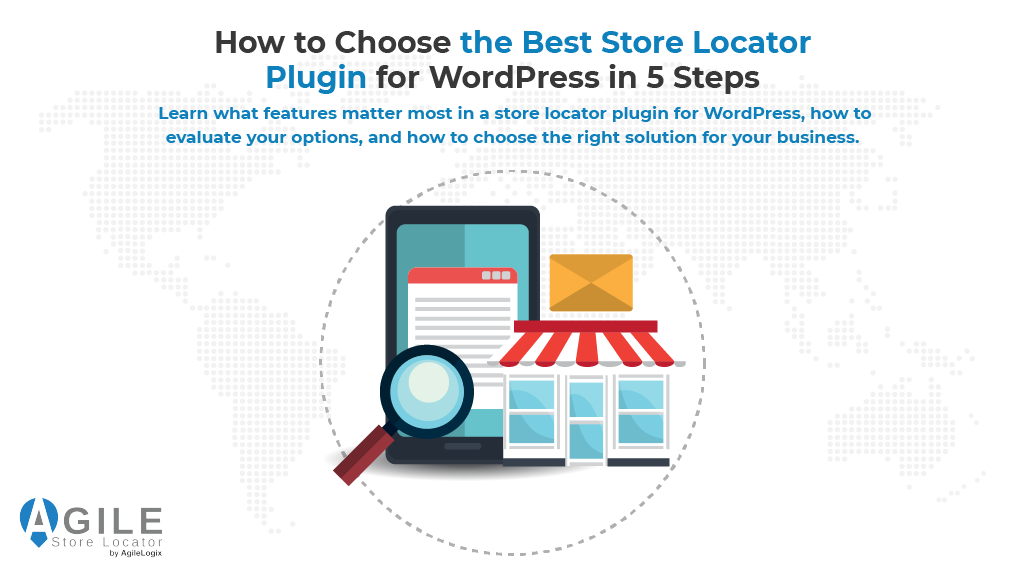
Choosing the right store locator plugin for WordPress is no longer just about adding a map to your website.
Customers expect to find nearby shops, dealers, service centers, and pickup locations quickly and without frustration. If they cannot locate the information they need, they may leave your website and turn to a competitor instead.
A modern store locator plugin for WordPress helps visitors search for locations, get directions, view business hours, and find the nearest location based on their needs. It also helps businesses improve customer experience, increase location visibility, and support local search efforts.
The problem is that many plugins offer similar promises while delivering very different results. Some provide only basic maps, while others include advanced search, filtering, analytics, and location management tools.
Understanding what features truly matter can save time, money, and future headaches.
This guide will walk you through five important steps for evaluating a WordPress store locator. By the end, you will know exactly what to look for in a store locator plugin for WordPress and how to choose a solution that can grow with your business.
2- Why Businesses Need a Store Locator Plugin for WordPress

Now that you understand the importance of choosing the right solution, the first step is understanding why businesses invest in a store locator plugin for WordPress.
As companies expand, managing multiple locations becomes more challenging.
Customers want quick access to addresses, directions, phone numbers, and opening hours. If this information is difficult to find, potential customers may leave your website and choose a competitor instead.
The Challenges of Managing Multiple Business Locations
Businesses with several locations often struggle to:
- Keep location details accurate and up to date
- Help customers find the nearest branch
- Display opening hours consistently
- Manage location information at scale
A store locator plugin for WordPress helps solve these challenges by centralizing location data and making it searchable for visitors.
How Customers Search for Nearby Locations Today
Customer behavior has changed significantly over the past decade. Most people now search online before visiting a physical location. They expect fast results, accurate directions, and relevant locations near them.
As highlighted, consumers are increasingly searching for nearby businesses; location-based searches continue to grow as consumers use mobile devices to find products, services, and outlets close to them.
Benefits of Adding a Store Locator to Your WordPress Website
A WordPress store locator benefits both businesses and customers.
| Business Benefits | Customer Benefits |
| Increased outlet visits | Faster location discovery |
| Better local visibility | Accurate directions |
| Easier location management | Access to shop hours |
| More qualified leads | Better user experience |
A well-designed store locator plugin for WordPress does more than display locations. It helps customers find the right location faster and improves the overall experience.
Location Finder vs. Manually Listing Locations
Some businesses simply add a page containing all their addresses. While this may work for a handful of locations, it quickly becomes difficult to maintain as the business grows.
A store locator plugin for WordPress provides search, filtering, geolocation, and interactive maps that static location pages cannot offer.
Understanding these benefits provides a strong foundation for evaluating solutions, which brings us to the features and capabilities that separate leading plugins from basic alternatives.
3- What Makes Agile Store Locator a Powerful WordPress Plugin and Solution
At this point, the challenge is no longer understanding why location search matters. The real question is how to deliver a fast, accurate, and frustration-free experience for your customers. This is where the right solution can make a significant difference.
A modern store locator plugin for WordPress should not only help customers find locations but also simplify location management for growing businesses.
Overview of Agile Store Locator
Agile Store Locator is an advanced store locator solution for businesses that want to easily and quickly guide potential customers to their physical stores.
Imagine a customer who is ready to visit one of your locations. They land on your website, but they cannot quickly find the nearest outlet, service center, or pickup point. Within seconds, that customer may leave and choose a competitor whose locations are easier to find.
This is the problem a modern store locator plugin for WordPress is designed to solve.
Rather than forcing customers to browse through pages of addresses, a powerful locator helps them find the right location in seconds. You can explore a powerful store locator solution that transforms location discovery into a smooth and intuitive experience for every visitor.
Many businesses begin their search for a store locator plugin for WordPress after realizing that manually managing location pages no longer provides the experience customers expect.
Branch Finder, Dealer Finder, and Franchise Finder Capabilities
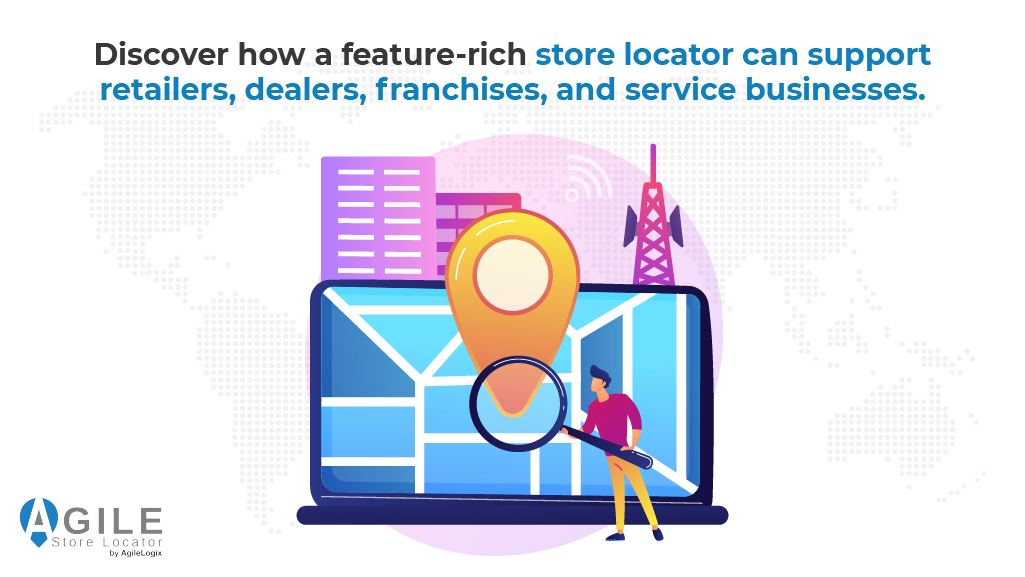
Every business operates differently. A retailer may need customers to find nearby branches. A manufacturer may need an effective dealer locator. A franchise business may need a system that helps customers discover locations across multiple cities and regions.
Agile Store Locator was built to support all of these scenarios within a single platform. Instead of managing separate tools for different location types, businesses can provide one consistent experience across shops, dealers, franchises, service centers, and pickup locations.
This creates a smoother journey for customers while reducing administrative complexity for your team.
Advanced Location Search Features
Customers expect convenience. They want to search by city, postal code, category, or proximity and instantly see the most relevant results.
Agile Store Locator combines advanced search tools with powerful location management features. As a result, the store locator plugin for WordPress becomes more than a location directory and starts functioning as a customer acquisition tool.
Businesses that invest in a feature-rich store locator plugin for WordPress often see improvements in location discovery, customer engagement, and operational efficiency.
| Feature | Customer Benefit |
| Radius search | Find nearby locations instantly |
| Geolocation | Automatically identify nearby branches |
| Category filters | Display relevant locations faster |
| Custom fields | Show useful business information |
| Analytics | Understand customer search behavior |
These features help turn a simple store locator plugin for WordPress into a tool that actively supports customer acquisition and engagement.
Why Businesses Choose Agile Store Locator
Many businesses start with a basic solution only to discover its limitations as they grow.
Managing more locations, supporting more customers, and maintaining accurate location data quickly become difficult when the software is not built to scale.
Businesses choose Agile Store Locator because it combines ease of use with long-term flexibility.
Whether you operate a WordPress store locator for a growing retail chain, a dealer locator network, or an outlet locator system, the platform is designed to grow alongside your business.
When evaluating a store locator plugin for WordPress, scalability should be one of the most important considerations. The best store locator plugin for WordPress should continue performing efficiently as your number of locations and customers increases.
The goal is simple. Help customers find the right location faster, create a better experience, and ensure that every location has the opportunity to generate more visits, leads, and sales.
For businesses planning long-term growth, choosing a store locator plugin for WordPress that can evolve alongside changing requirements is a major advantage.
Now that we have looked at a solution built around real business needs, the next step is understanding the features that separate a great dealer locator from an average one.
4- 5 Essential Features to Look for in a WordPress Store Locator Plugin
Now that we have explored a solution designed to solve real business challenges, the next step is understanding which features truly matter. Not every plugin offers the same capabilities, and choosing the wrong one can limit your growth later.
Google Maps Integration
Maps are the foundation of any effective location search experience. Customers want to view locations visually, get directions, and understand where your branches are located.
Modern outlet finders rely on mapping technology to provide accurate location data and navigation tools. You can learn how modern store locators depend on mapping technologies to power location discovery experiences.
If you are evaluating mapping options, it is also useful to compare methods for adding maps before selecting a solution.
Radius Search and Geolocation
A high-quality store locator plugin for WordPress should help visitors find the nearest location with minimal effort.
Features such as radius search and geolocation allow customers to:
- Search near their current location
- Find the closest branch automatically
- Reduce the number of steps required to locate a business
These capabilities improve user experience and help customers reach the right location faster.
Outlet Categories and Filters
As businesses add more locations, search results can become overwhelming. Categories and filters help customers narrow results based on their needs.
Examples include:
| Filter Type | Purpose |
| City | Show local locations |
| Category | Filter by shop type |
| Services | Display relevant offerings |
| Distance | Prioritize nearby locations |
This functionality is especially important for large location networks.
Outlet Hours, Contact Details, and Custom Fields
Location pages should provide more than an address. Customers often need business hours, phone numbers, emails, services, and other details before deciding to visit.
A store locator plugin for WordPress with custom fields allows businesses to display information that is most relevant to their customers, reducing unnecessary support inquiries.
Mobile-Friendly Search Experience
Most location searches now happen on mobile devices. A WordPress store locator must therefore work smoothly on smaller screens.
Customers should be able to search, filter, and navigate locations without zooming, excessive scrolling, or confusing layouts. Moreover, businesses using page builders may also want to choose the right Elementor locator to ensure a consistent mobile experience.
A store finder plugin WordPress solution should make location discovery simple, regardless of device. The best store locator plugin for WordPress combines usability, search functionality, and scalability into a seamless experience.
With the core features covered, we can now look at how these capabilities contribute to local SEO performance and a better customer experience.
5- How Location Finder Plugins Improve Local SEO and Customer Experience
The right features do more than help customers find locations. They also improve your visibility in search results and create a smoother experience for visitors. This is one of the main reasons businesses invest in a store locator plugin for WordPress.
Helping Customers Discover Nearby Locations
Customers are more likely to visit a business when they can quickly find the nearest location. A location finder plugin WordPress solution makes this process simple by allowing users to search by city, postal code, address, or proximity.
The easier it is for customers to find a location, the more likely they are to take action.
Supporting Local SEO Strategies
Search engines want to provide users with accurate local information. Businesses that maintain consistent location data often have a better chance of appearing in local search results.
Google also emphasizes the importance of accurate business information. As noted, businesses rely on accurate location visibility, and keeping location details current helps customers find and trust your business online.
Organizations managing large location networks may also benefit from apps like WP Maps, which are location and product management tools that simplify product display and location management.
Improving Engagement and Shop Visits
When visitors can quickly find the information they need, they spend less time searching and more time engaging with your business.
A store locator plugin for WordPress helps reduce frustration by providing:
- Accurate directions
- Current location information
- Faster location discovery
- Improved mobile usability
These improvements can lead to more outlet visits and better customer satisfaction.
Building Trust with Accurate Location Information
Trust plays a major role in local commerce. Customers want confidence that the address, hours, and contact details they see are correct.
A well-maintained WordPress location finder plugin implementation helps businesses present reliable information across all locations, creating a stronger customer experience from the very first interaction.
Now that we have covered customer experience and local SEO, the next step is understanding how different business models require different types of location search capabilities.
6- Choosing the Right Store Locator for Dealers, Franchises, and Multi-Location Businesses
At this stage, it is clear that location search affects both customer experience and business growth. However, not every business requires the same type of solution.
Choosing the right store locator plugin for WordPress depends on your business model and long-term goals.
Dealer Finder Requirements
Manufacturers and distributors often need a dealer finder that helps customers find authorized sellers and service providers. In these cases, advanced filtering, location categories, and accurate contact information are essential.
A store locator plugin for WordPress should make it easy for customers to identify the most relevant dealer without navigating through dozens of locations.
For organizations managing large dealer networks, a store locator plugin for WordPress should also provide scalability and centralized location management.
Franchise Finder Requirements
Franchise businesses face a different challenge. They need a WordPress store locator that provides a consistent experience across multiple cities, regions, or countries while maintaining accurate information for each location.
The ability to manage locations centrally becomes increasingly important as a franchise network expands. This is why many growing franchises prioritize a store locator plugin for WordPress that can support hundreds of locations without sacrificing performance.
Retail and Chain Location Requirements
Retailers often need more than simple location search functionality. They may also require inventory visibility, pickup locations, and location-specific operations.
Businesses looking to reduce fulfillment costs across locations frequently discover that location management and fulfillment strategy work best when integrated together.
Product Finder Use Cases
Many organizations use their locator system to help customers find products, not just outlets. An outlet locator can help shoppers identify the nearest location carrying a specific product or service.
This improves convenience while helping businesses direct customers to the most relevant locations. A well-designed store locator plugin for WordPress can make product discovery significantly easier across multiple locations.
Scaling from 10 to 1,000+ Locations
Scalability is often overlooked during the selection process. A solution that works well for ten locations may struggle when managing hundreds.
As businesses grow, they may need to:
- Expand inventory across locations
- Delegate location management
- Import large datasets
- Support regional operations
Resources that help businesses become increasingly valuable as operations expand include:
- Migrate location data without disruption
- Scale inventory across multiple store locations
- Manage stores with delegated administrators
When evaluating long-term growth requirements, selecting a store locator plugin for WordPress that supports expansion from dozens to thousands of locations can help avoid costly platform changes later.
Understanding these business-specific requirements makes it much easier to avoid common mistakes when selecting a solution.
7- Common Mistakes to Avoid When Selecting a Store Locator Plugin
We have covered the features, benefits, and business requirements that matter most. The final step is avoiding the mistakes that often lead businesses to outgrow their solution sooner than expected.
Choosing Based on Price Alone
Many businesses select a store locator plugin for WordPress solely because it is free or inexpensive. While cost matters, functionality, reliability, and long-term scalability often provide far greater value.
Ignoring Scalability
A solution that works for a handful of locations may struggle as your business expands. Before choosing a store finder plugin for a WordPress solution, consider how easily it can support additional locations, users, and data.
Overlooking Local SEO Capabilities
Location visibility is one of the biggest reasons businesses invest in a locator system. A WordPress store finder plugin should help customers and search engines discover locations more effectively.
Failing to Consider User Experience
If customers cannot quickly find the information they need, they may leave your website before taking action. A good user experience should always be a priority.
Selecting a Plugin Without Advanced Search Functionality
Modern customers expect filters, geolocation, and location-based search. A store locator plugin for WordPress should make finding locations simple, accurate, and fast.
A well-designed store finder plugin for WordPress can help businesses improve customer experience, support local SEO, and scale location operations over time. By evaluating features carefully and selecting a capable WordPress store finder plugin, you can choose a solution that continues delivering value as your business grows.
8- Conclusion
Choosing the right store locator plugin for WordPress is about more than adding a map to your website.
The best solution should help customers find locations quickly, support local SEO efforts, scale with your business, and provide a smooth user experience across all devices.
By following the five steps covered in this guide, you can evaluate your options more confidently and focus on the features that deliver long-term value.
Whether you operate a retail chain, franchise network, dealer directory, or service center network, selecting the right platform today can prevent costly limitations tomorrow.
If you are looking for a solution that combines advanced search, location management, scalability, and customer-focused design, Agile Store Locator is worth considering.
The right store locator plugin for WordPress should not only help customers find your locations but also help your business grow.
Frequently Asked Questions
What features should I look for in a WordPress store locator plugin?
When comparing WordPress store locator plugins, focus on essential store locator features such as location search, filtering, geolocation, responsive design, and a searchable store list.
A good WP Store Locator should also support customization options, analytics, and easy location management.
Can I add a branch locator page to my WordPress website?
Yes. Most solutions allow you to create a dedicated store locator page on your WordPress site using a shortcode, widget, or block editor integration. This makes it easy to display a store locator on your website without requiring custom development.
Does Agile Store Locator (ASL) work with Google Maps?
Yes. Agile Store Locator functions as a powerful Google Maps plugin and supports the Google Maps API for displaying locations. To use Google Maps, you will need a valid Google Maps API key, which allows the map, directions, and location search features to function correctly.
Can I customize the appearance of the map and markers?
Absolutely. You can customize map layouts, location marker icons, colors, and overall style. Advanced users can also apply custom CSS, configure map styles, and adjust the zoom level to match their branding and user experience requirements.
Does ASL support WooCommerce Locations?
Yes, this plugin integrates well with WooCommerce, making it ideal for businesses with multiple physical stores. Customers can locate nearby locations, view shop details, and find products available at specific locations.
Can I import locations using CSV files?
Yes. The plugin includes CSV import functionality along with import and export tools that simplify location management. These features allow administrators to quickly add, update, or migrate large numbers of locations directly from the dashboard.
Does the plugin support WPML and Gutenberg?
Yes. Agile Store Locator supports WPML for multilingual websites and works with Gutenberg, allowing you to build location pages using modern WordPress editing tools while maintaining a consistent user experience.
What search and filtering options are available?
The plugin includes a powerful search widget that helps customers find locations quickly. Businesses can categorize locations by type, services, region, or other criteria, making it easier for visitors to find the most relevant location.
Additional Store Outlet Finder Software Features
Agile Store Locator includes many advanced store locator software features beyond standard location search. These include customizable shortcodes, flexible customization options, support for dealer and franchise networks, advanced location filtering, analytics, location categories, and an intuitive management dashboard.
Businesses looking for a scalable directory plugin or an easy-to-set-up location solution can benefit from features designed to support growing multi-location operations.